9.1.5 Verifying the Message Channel Status
Then, verify the message channel status.
To run the message channel:
-
Select PeopleTools, Integration Broker, Service Operations Monitor, Administration, Queue Status.
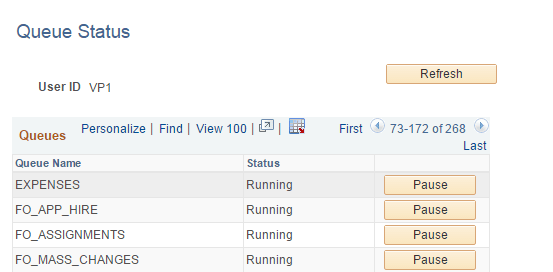
The Queue Status page appears, as shown in the following example:
Figure 9-5 Queue Status page
-
On the Queue Status page, in the Status column, verify that the status for queue name EXPENSES is Running.
If the status is Paused, click the Run button next Status column in the EXPENSES row.