9.2 Configuring the Employee Portal Servlet URL
To configure the URL for the Employee Portal Servlet (EMP_SERVLET):
-
Select PeopleTools, Utilities, Administration, Maintain URLs.
-
On the URL search page, search for and select the URL identifier EMP_SERVLET.
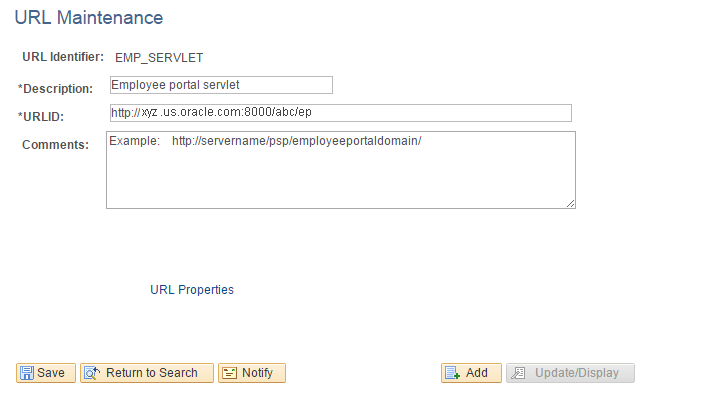
The URL Maintenance page appears, as shown in the following example:
Figure 9-6 URL Maintenance page
-
On the URL Maintenance page, in the URLID field, enter the URL to your machine’s server name and append /psp/<employeeportaldomain>/
For <employeeportaldomain> use the site name of your employee portal domain. For example, if the web server machine name is serverx, and the employee portal domain is empdb910, the URLID is http://serverx/psp/empdb910.
-
Click Save.