17.1.4 Configuring eMail URLs for PeopleSoft eBill Payment
You must modify the EB_SERVLET to point to the correct server that you plan to use to access the PeopleSoft SCM database for the CUSTOMER registry. This is necessary to enable PeopleSoft Billing to generate the correct link to the PeopleSoft eBill Payment components.
To set up the URL:
-
Select PeopleTools, Utilities, Administration, Maintain URLs to access the PeopleTools URL Maintenance page.
-
On the URL search page, search for the URL identifier EB_SERVLET.
-
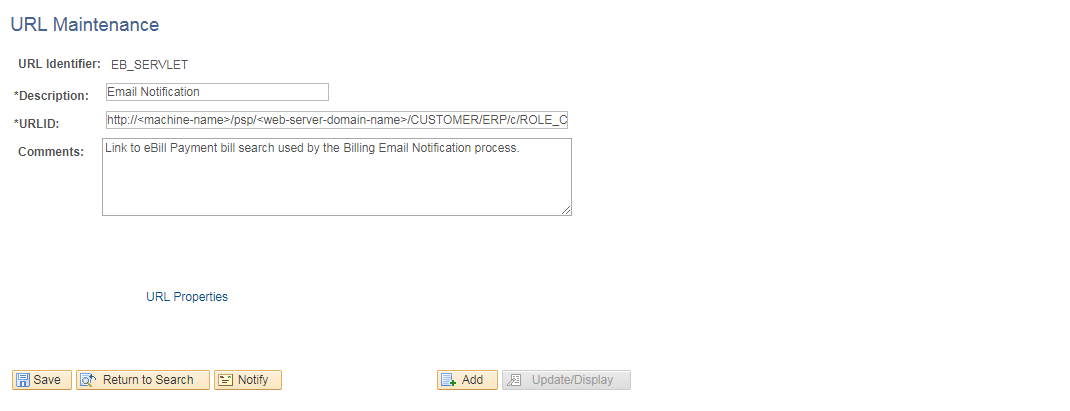
On the URL Maintenance page, edit the URL to point to an EXTERNAL server to access the PeopleSoft Supply Chain Management database.
That is, the server that your customers use to sign in to the CUSTOMER registry, as shown in the following example:
Figure 17-5 URL Maintenance page for EB_SERVLET
-
Click Save.