17.1.3 Configuring eMail URLs for Supplier Facing Applications
The information in this section applies to PeopleSoft eSupplier Connection, PeopleSoft Collaborative Supply Management, PeopleSoft Supplier Contract Management, PeopleSoft Strategic Sourcing, PeopleSoft Services Procurement, and PeopleSoft Supplier Registration.
You must modify EMP_SERVLET, SUP_SERVLET, and SUP_OB_INVITE to point to the correct servers that you plan to use to access the PeopleSoft SCM database. These URLs are a requirement when you are not using an Enterprise Portal, as there is no other way to identify the different web servers used for the Employee or Supplier side.
To set up these URLs:
-
Select PeopleTools, Utilities, Administration, Maintain URLs to access the PeopleTools URL Maintenance page.
-
On the URL search page, search for the URL identifier SUP_SERVLET.
-
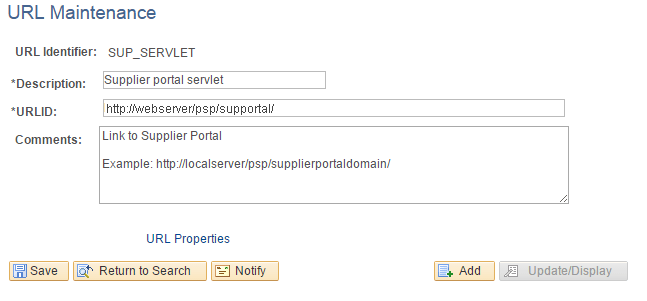
On the URL Maintenance page, in the URL field, edit the URL to point to an EXTERNAL server to access the PeopleSoft Supply Chain Management database.
That is, the server that the suppliers use to sign in to the SUPPLIER registry, as shown in the following example:
Figure 17-2 URL Maintenance page for SUP_SERVLET
-
Click Save.
-
Click Return to Search.
-
On the URL search page, search for the URL identifier EMP_SERVLET.
-
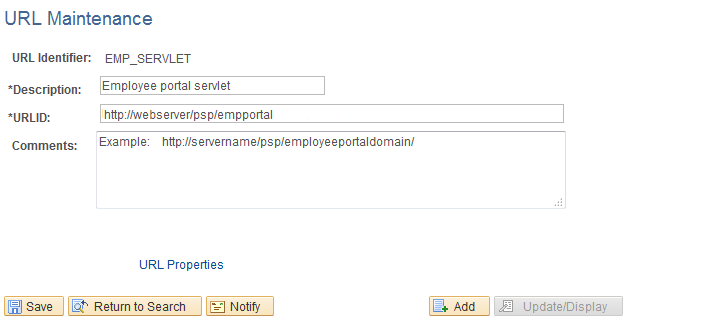
On the URL Maintenance page, in the URL field, edit the URL to point to an INTERNAL server to access the PeopleSoft Supply Chain Management database.
That is, the server that the employees use to sign in to the EMPLOYEE registry, as shown in the following example:
Figure 17-3 URL Maintenance page for EMP_SERVLET
-
Click Save.
-
Click Return to Search.
-
On the URL search page, search for the URL identifier SUP_OB_INVITE.
-
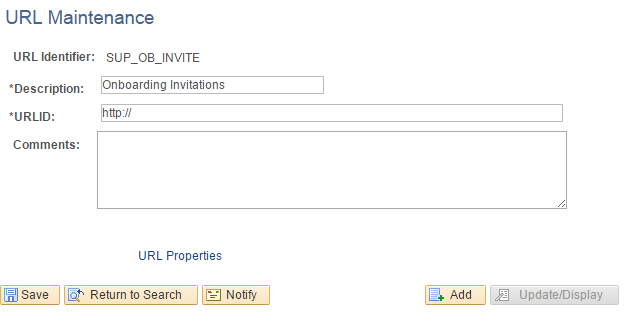
On the URL Maintenance page, in the URL field, edit the URL to point to an EXTERNAL server to access the PeopleSoft Supply Chain Management database.
That is, the server that the potential suppliers use to sign in to the SUPPLIER registry, as shown in the following example:
Figure 17-4 URL Maintenance page for SUP_OB_INVITE
-
Click Save.