Cloning Guided Processes
The Guided Process Clone Utility component (GDP_CLONE) enables you to easily copy and modify an existing guided process. By cloning a guided process template, you can reconfigure the existing parameters to suit a different business process without having to spend time building a new guided process template from the ground up.
Page Used to Clone Guided Processes
| Page Name | Definition Name | Usage |
|---|---|---|
|
GDP_CLONE |
Clone an existing guided process template. |
Guided Process Clone Utility Page
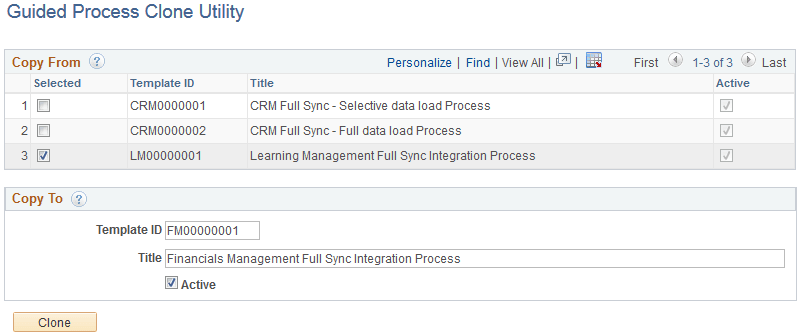
Use the Guided Process Clone Utility page (GDP_CLONE) to clone an existing guided process template.
Navigation:
This example illustrates the fields and controls on the Guided Process Clone Utility page.
Copy From
| Field or Control | Description |
|---|---|
|
Selected |
Select the check box next to the guided process template that you want to clone. |
Copy To
| Field or Control | Description |
|---|---|
|
Template ID and Title |
Enter the ID and title of the new guided process template you are creating. |
|
Active |
Select to activate the new guided process template. |
|
Clone |
Click to create a copy of the selected guided process template. |