HCM Security Process Flow
When you set up HCM data permission security you will follow this process flow, which is detailed below:
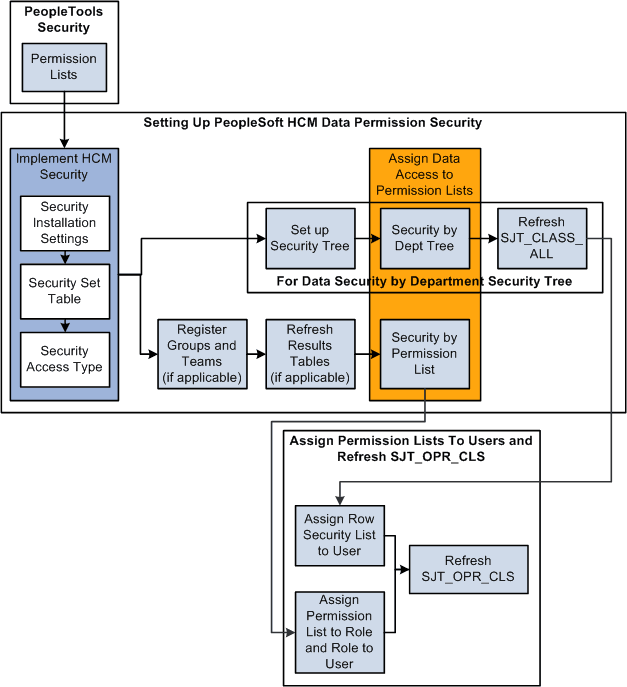
To set up HCM data permission:
-
Set up permission lists in the PeopleTools pages.
-
Set the security installation settings on the Security Installation Settings component.
-
Review security sets on the Security Set Table component.
-
Enable security access types on the Security Access Type component.
-
Assign data permission to permission lists:
-
If you are using security tree-based security access types, set up a security tree, assign data permission on the Security by Dept Tree component, and refresh SJT_CLASS_ALL.
-
If you are using non-tree based security access types, register any group IDs or matrix teams, if any, refresh the Results tables for the group IDs and teams, if applicable, then assign data permission on the Security by Permission List component.
-
-
Assign permission lists to users (by way of roles if you are using role-based permission lists or directly to the user profile if you are using row security permission lists).
-
Refresh SJT_OPR_CLS.