Personal Details Dashboard
Use the Personal Details dashboard to access self-service content and navigation items for biographical, contact, compliance, equality, disability, and other data.
Navigation:
Select the Personal Details tile from the Quick Access section of the PeopleSoft (My Home) Landing Page.
This example illustrates the Personal Details dashboard.
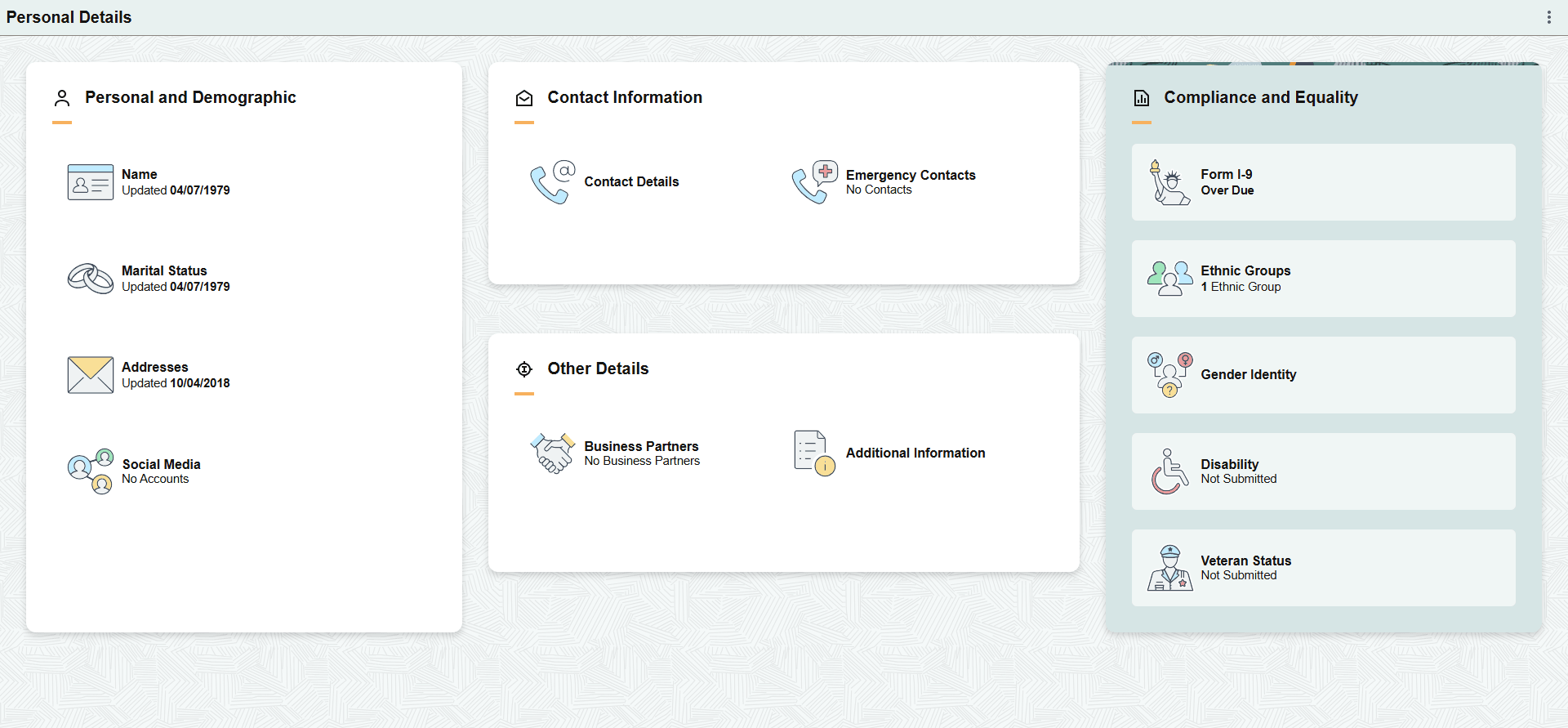
The Personal Details dashboard includes the following sections and tiles, which appear based on user roles and security permissions.
-
Personal and Demographic section
-
Name Tile
-
Marital Status Tile
-
Addresses Tile
-
Social Media Tile
-
-
Contact Information section
-
Contact Details Tile
-
Emergency Contacts Tile
-
-
Other Details section
-
Business Partners Tile
-
Additional Information Tile
-
-
Compliance and Equality section
-
Form I-9 Tile
-
Ethnic Groups Tile
-
Gender Identity Tile
-
Disability Tile
-
Veteran Status Tile
-
For more information on these tiles, see PeopleSoft eProfile: (Fluid) Reviewing and Updating Personal Information.