Personal Information Dashboard
Use the Personal Information dashboard to access self-service content and navigation items for biographical, contact, compliance, equality, disability, and other data as a federal employee.
Note:
A user must be identified as a federal employee with the HCLPSSUSFPERSINFO - Personal Information Federal permission list to see and access this tile.
Navigation:
Select the Personal Information tile from the Quick Access section of the PeopleSoft (My Home) Landing Page when you are logged in as a federal employee.
This example illustrates the Personal Information dashboard.
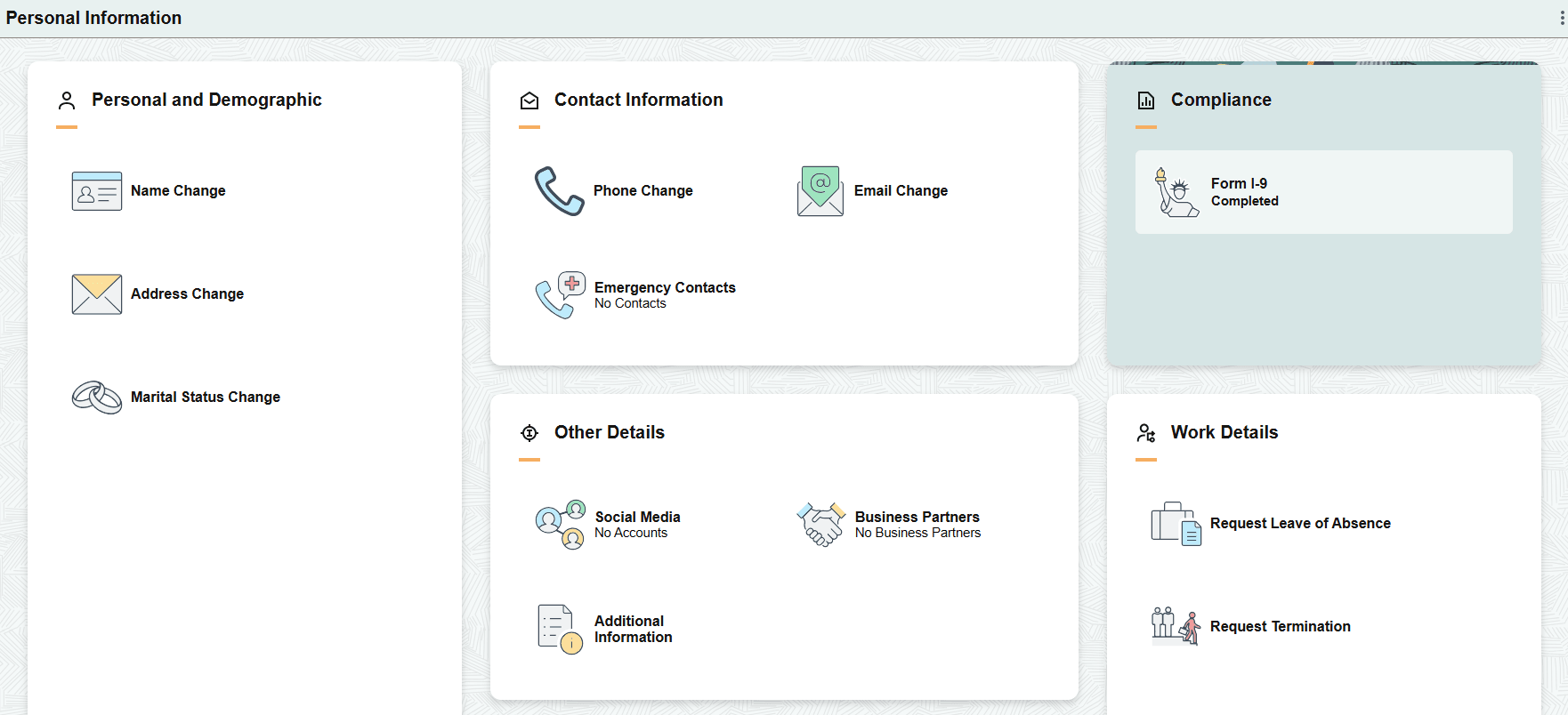
The Personal Information dashboard includes the following sections and tiles, which appear based on user roles and security permissions.
-
Personal and Demographic section
These tiles take you to the Classic federal self-service pages to update PAR records.
-
Name Change tile
-
Addresses Change tile
-
Marital Status Change tile
-
-
Contact Information section
The phone tile takes you to the Classic federal page while the email and emergency contact tiles take you to the Fluid self-service pages.
-
Phone Change tile
-
Email Change tile (see the Fluid PeopleSoft eProfile: Email Address Page)
-
Emergency Contacts tile (see the Fluid PeopleSoft eProfile: Emergency Contacts (Summary) Page)
-
-
Compliance section
Form I-9 tile (see the Fluid PeopleSoft eProfile: (USA) Form I-9 Page)
-
Other Details section
These tiles take you to the Fluid self-service pages.
-
Social Media tile (see the Fluid PeopleSoft eProfile: Social Media (Summary) Page)
-
Business Partners tile (see the Fluid PeopleSoft eProfile: Business Partners Page)
-
Additional Information tile (see the Fluid PeopleSoft eProfile: Additional Information Page
-
-
Work Details section
These tiles take you to the Classic federal self-service pages.
-
Request Leave of Absence tile
-
Request Termination tile
-
Many of the Classic federal transaction pages are listed in the following documentation.