Quick Access – Benefits, Pay & Time Dashboard
Use the Benefits, Pay & Time dashboard (HC_BEN_PAY_TIME_DBRD_LP) to access self-service content and navigation from Time & Labor, Absence Management, Payroll, Year End Forms or Slips, Benefits, and Compensation.
Navigation:
Select the Benefits, Pay & Time tile from the Quick Access section of the PeopleSoft (My Home) Landing Page.
This example illustrates the fields and controls on the Benefits, Pay & Time dashboard.
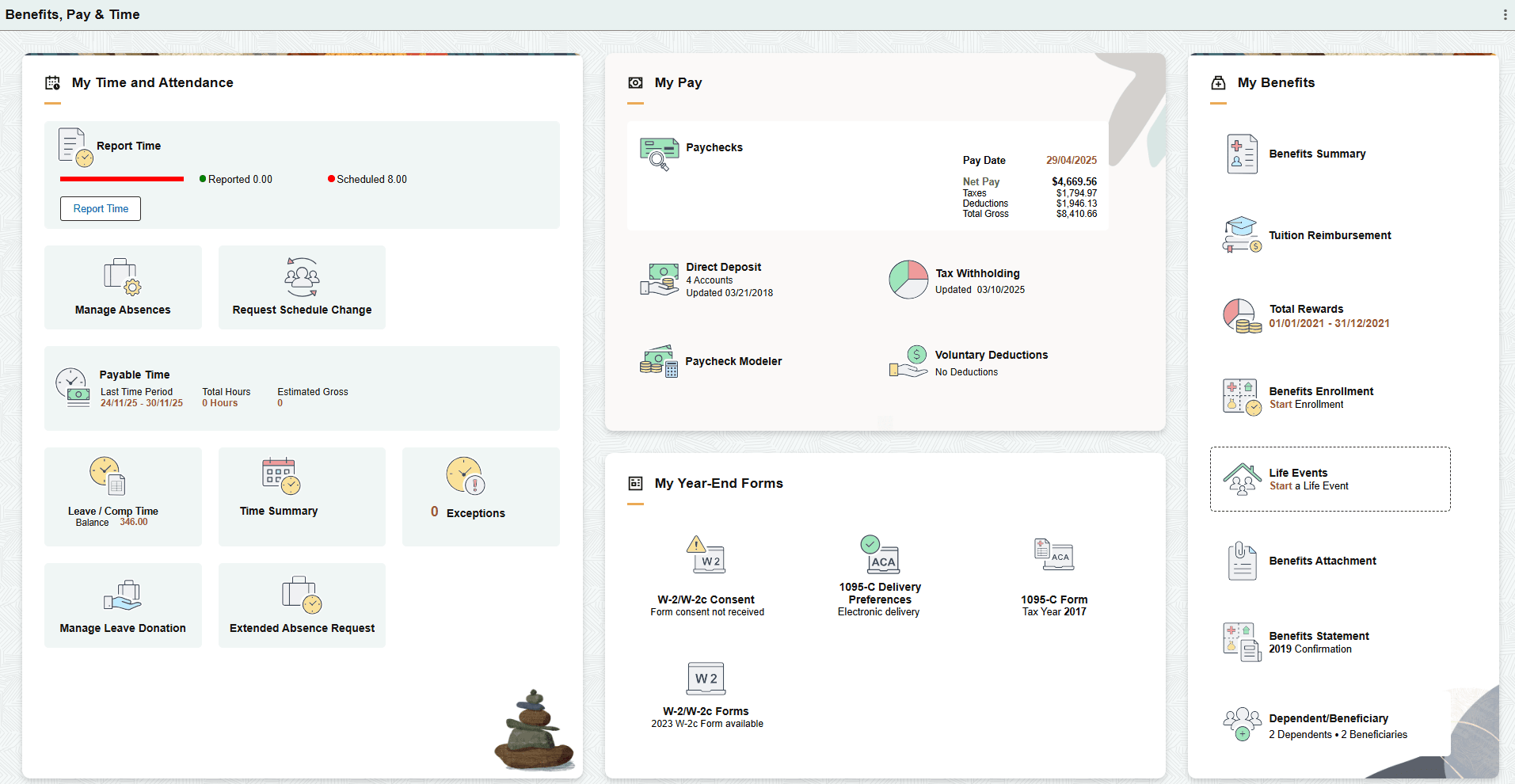
The Benefits, Pay & Time dashboard includes the following sections and tiles, which appear based on user roles and security permissions.
-
My Time and Attendance section
-
My Pay section
(Payroll for North America – USA)
-
Paychecks Tile (see PeopleSoft ePay: Paychecks Page)
-
Tax Withholding Tile (see PeopleSoft ePay: Tax Withholding Page)
(Payroll for North America – CAN)
-
Paycheques Tile (see PeopleSoft ePay: Paychecks Page)
-
Tax Withholding Canada Tile (see PeopleSoft ePay: Tax Withholding Page)
(Payroll for North America – Common)
-
Direct Deposit Tile (see PeopleSoft ePay: Direct Deposit Page)
-
Voluntary Deductions Tile (see PeopleSoft ePay: Voluntary Deductions Page)
(Global Payroll Core)
(Global Payroll - India)
-
PeopleSoft Global Payroll for India: Tax Savings Declarations PageTax Savings Declarations Tile
-
PeopleSoft Global Payroll for India: 12BAA Declarations IND Page12BAA Declaration Tile
(Global Payroll - Mexico)
PeopleSoft Global Payroll for Mexico: Viewing PayslipsXML Payslip Tile
(Global Payroll - USA)
(Global Payroll - UK)
-
-
My Benefits section
-
My Year-End Forms section
Note:
This section is for U.S. employees only. All section tiles are displayed according to the permissions assigned to each eligible user.
-
W-2/W-2c Consent Tile (see PeopleSoft ePay: W-2/W-2c Consent Page)
-
W-2/W-2c Forms Tile (see PeopleSoft ePay: View W-2/W-2c Forms Page)
-
PeopleSoft Benefits Administration: 1095-C Delivery Preferences Tile
-
1042-S Consent Tile (see PeopleSoft ePay: 1042-S Consent Page)
-
1042-S Forms Tile (see PeopleSoft ePay: View Form 1042-S Page)
-
1099-R Consent Tile (see PeopleSoft ePay: 1099-R Consent Page)
-
1099-R Forms Tile (see PeopleSoft ePay: View 1099-R Forms Page)
-
PeopleSoft ePay: (USA) Managing W-4 and W-2 ReissueW-2 Reissue Request MIL
-
Payroll Reports
-
-
My Year-End Slips section
Note:
This section is for Canadian employees only. All section tiles are displayed according to the permissions assigned to each eligible user.
-
RL-1/RL-2 Consent Tile
-
RL-1/RL-2 Slips Tile
-
T4/T4A Consent Tile
-
T4/T4A Slips Tile
For more information on all these tiles for Canadian Year-End forms, see PeopleSoft ePay: (CAN) Using the PeopleSoft Fluid User Interface to Manage Consent for Electronic Year-End Forms.
-