Recruiting Dashboard
Use the Recruiting dashboard (HC_HRS_RECRUITING_HP_LNK1_FL) to access a consolidated view for the recruiting needs to manage recruiting tasks, job openings, applicants, insights, and in-progress recruiting tasks.
Navigation:
Select the View All link from the My Work - Recruiting section of the PeopleSoft (My Home) Landing Page.
This example illustrates the fields and controls on the Recruiting dashboard.
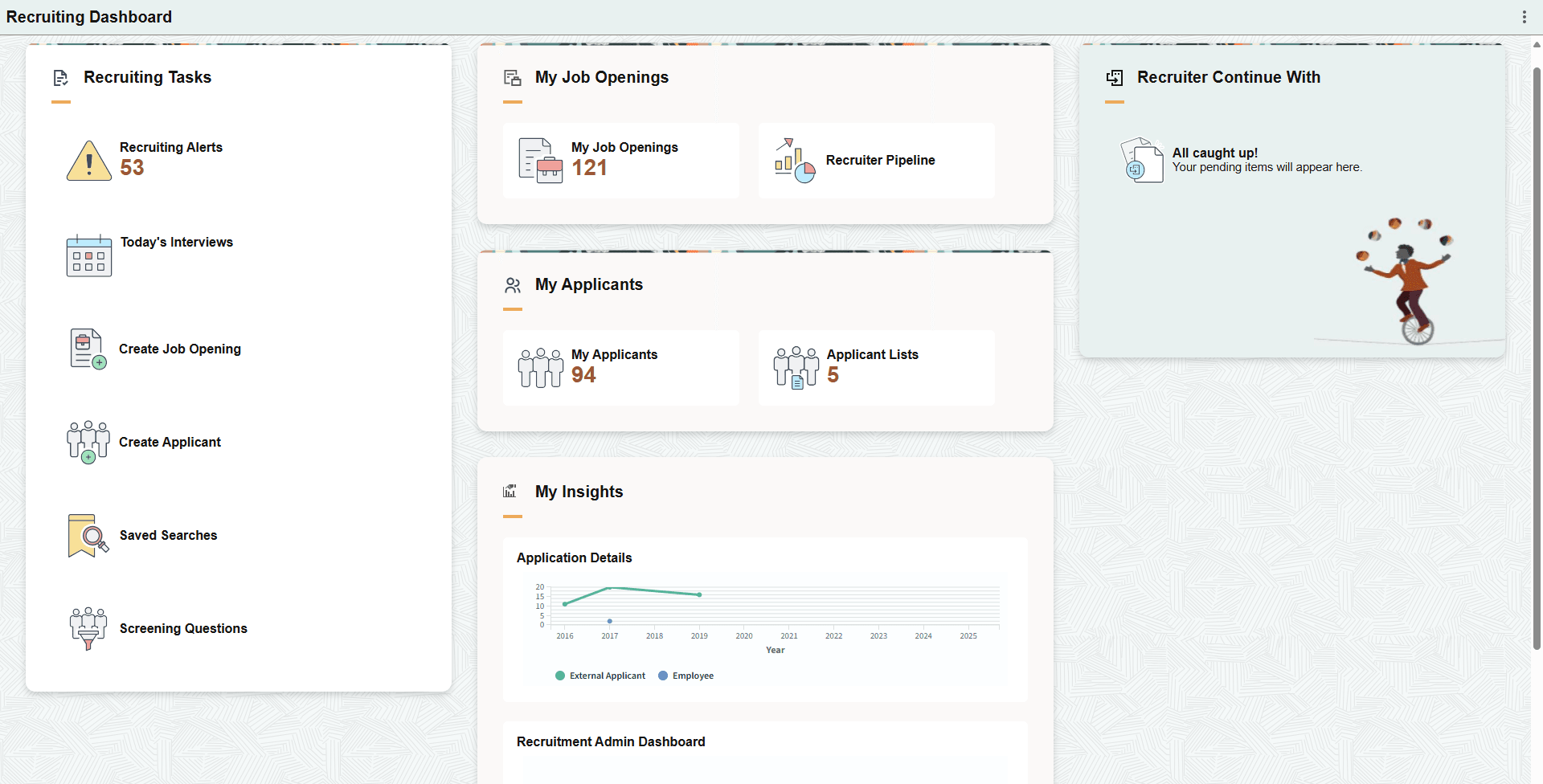
The Recruiting dashboard includes the following sections and tiles, which appear based on user roles and security permissions.
-
Recruiting Tasks section
-
PeopleSoft Talent Acquisition Manager: Recruiting Alerts Tile
-
PeopleSoft Talent Acquisition Manager: Today’s Interviews Tile
-
Create Job Opening Tile (see PeopleSoft Talent Acquisition Manager: Creating Job Openings)
-
Create Applicant Tile (see PeopleSoft Talent Acquisition Manager: Create Applicant Page)
-
Saved Searches Tile (see PeopleSoft Talent Acquisition Manager: Saved Searches Page)
-
Screening Questions Tile (see PeopleSoft Talent Acquisition Manager: Recruiting Question Definition Page)
-
-
My Job Openings section
-
My Applicants section
-
My Insights section
-
PeopleSoft Talent Acquisition Manager: Application Details Tile
-
PeopleSoft Talent Acquisition Manager: Recruitment Admin Dashboard Tile
Select the View All link to access the PeopleSoft Talent Acquisition Manager: Recruiting Insight Home Page and access the Recruiting Insights homepage for recruiting analytics.
-
-
Recruiter Continue With section
For of list of supported tiles that may appear in this section, see Recruiter Continue With Section.