Special Considerations After Applying the Payroll Interface Uptake
If you are using the delivered record view DIR_DEP_VW as the source of your bank account information, this uptake will handle this without additional changes. This record view is modified by this uptake and will only return rows when the Export process is running.
Note:
The modified record view DIR_DEP_VW will retrieve data only when the Export process is running. If you want to query Direct Deposit data even though the account number is encrypted, use the new delivered view DIR_DEP_MASK_VW. This definition is a clone of the previous version of DIR_DEP_VW.
If you encrypted DIR_DEP_DISTRIB, and you find that there are masked account numbers in your export files, you might be using a record definition other than DIR_DEP_VW as the source of your bank account information.
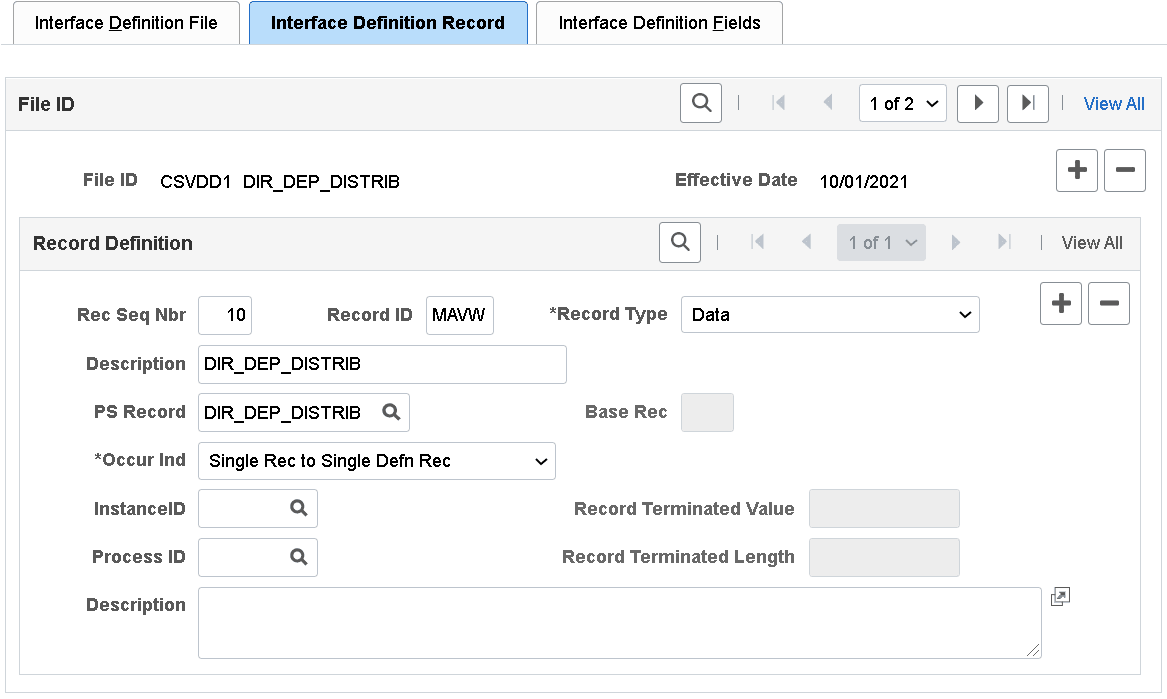
This is an example of an Interface Definition record that uses DIR_DEP_DISTRIB as the PS record on the Interface Definition Record page.
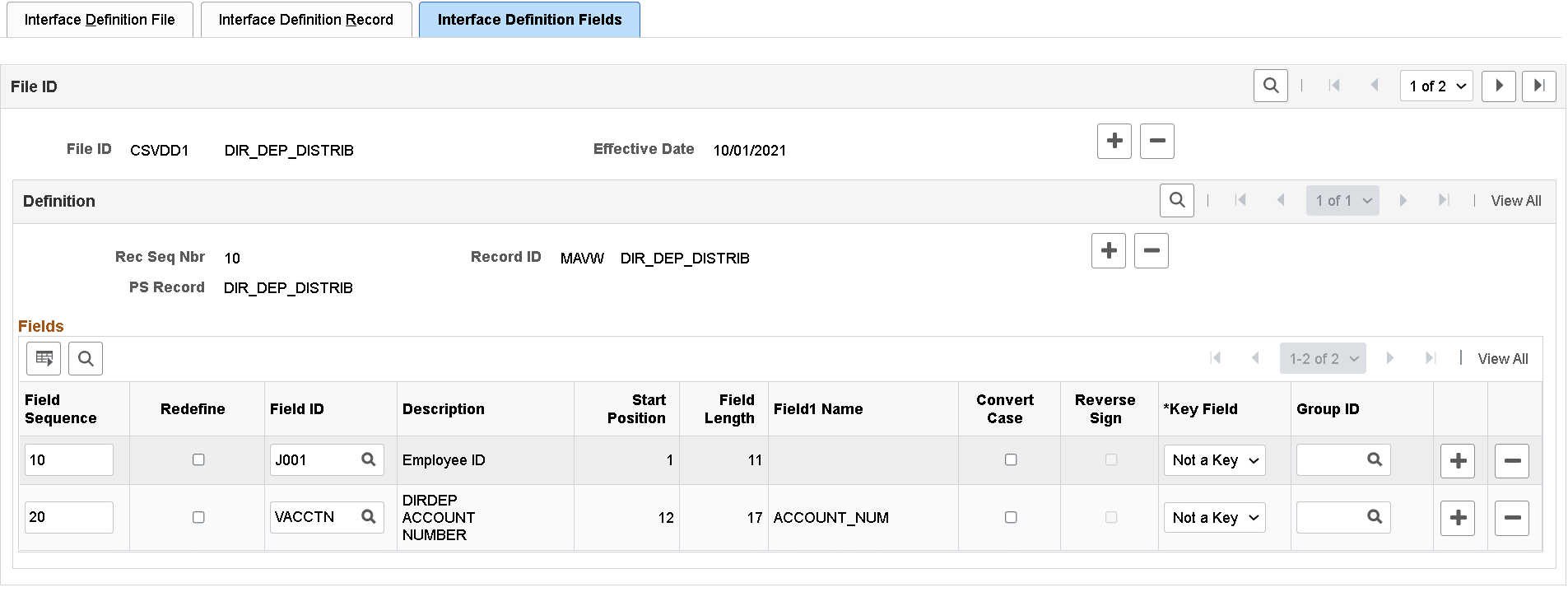
This is an example showing that the ACCOUNT_NUM field from DIR_DEP_DISTRIB is used as an Interface Definition field on the Interface Definition Fields page.
To identify the ACCOUNT_NUM field in your Payroll Interface environment, you can run the Interface PS Record-Field Table report.
Navigation:
This example displays the Interface PS Record-Field Table report, which shows that the ACCOUNT_NUM field is available from the DIR_DEP_DISTRIB record.

If it is determined that the ACCOUNT_NUM field is drawn from a different record other than DIR_DEP_VW, you may have to create a new record view (or modify if using an existing record view) and JOIN the underlying tables to DIR_DEP_VW from where the bank account number will be drawn. You will need to configure this new record in your environment using these pages:
Important:
If you create a new record view to retrieve bank account numbers, remember that the Build Sequence No (shown in Application Designer) of the new record view must be higher than that of DIR_DEP_VW.
After you have completed the review of your Payroll Interface definitions and made the corresponding changes, it is recommended to create a new baseline to serve as the new starting point to your next Export run.
Important:
Do not run any Payroll Interface processes while you are making changes to your setup or creating the new baseline.
To create a new baseline, you need to remove the data from Payroll Interface tables. To do so, run the following SQL statements in your database.
Note:
Back up the data for your Payroll Interface tables before running these SQL statements.
DELETE PS_PI_EMPLID_TBL;
DELETE PS_AERUNCONTROL WHERE AE_APPLID = 'PI_INRUN';
DELETE PS_PI_EXTIO;
DELETE PS_PI_PARTIC_EXTBL;
DELETE PS_PI_PARTIC_EXPT;
DELETE PS_PI_PARTIC;
DELETE PS_PI_MESSAGE;
DELETE PS_PI_RUN_TBL;
DELETE PS_PI_RUN_PYGRP;
DELETE PS_PI_RUNCTL;
Once you have backed up and removed the data from the Payroll Interface tables, review the configuration of your Payroll Interface system ID.
Navigation:
This example shows the three Convert field values on the Interface System Table 1 page.
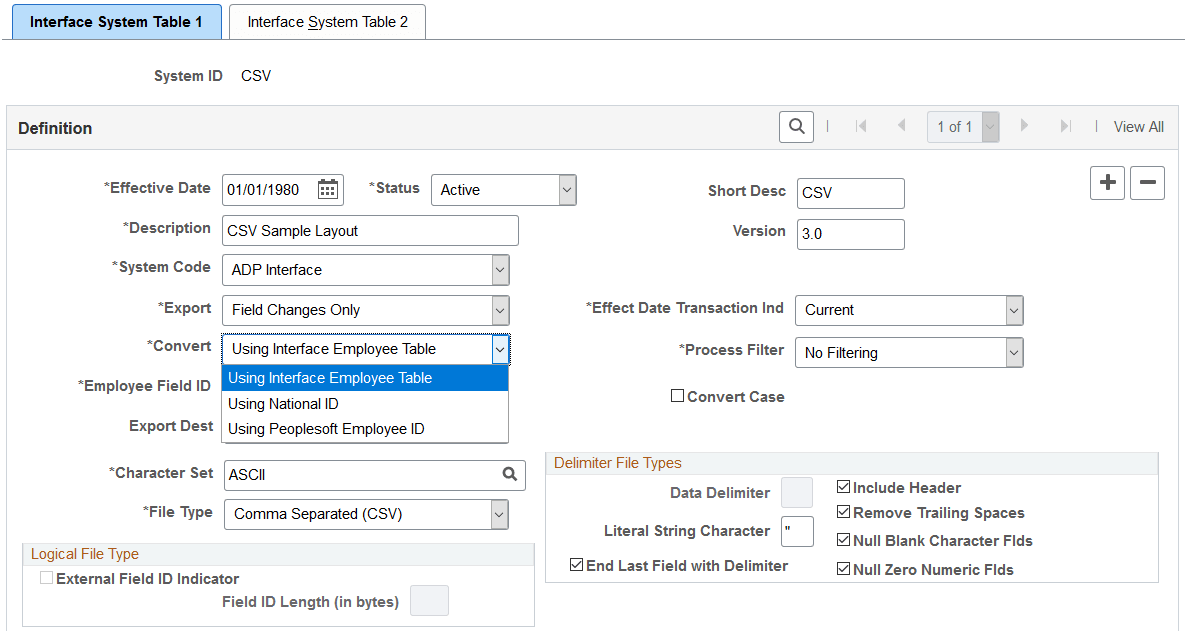
If the Convert field is Using Interface Employee Table, populate the PI_EMPLID_TBL table before running the Export process.
If the Convert field is Using National ID or Using Peoplesoft Employee ID, the Export process will populate the PI_EMPLID_TBL table automatically.
Once you have your data removed from the tables and reviewed your System Table configuration, you can perform a full Export to create the new baseline.
Navigation:
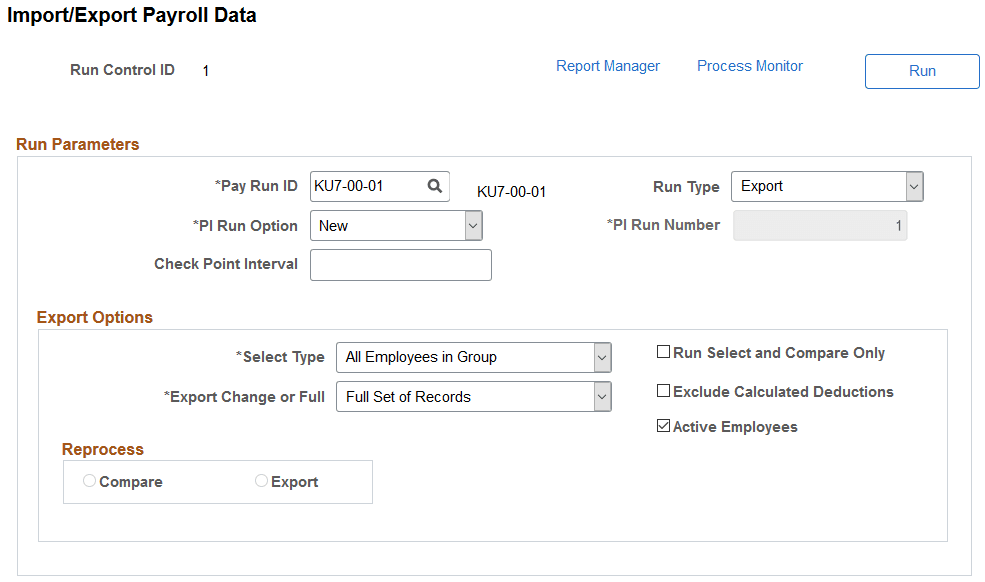
This example displays the Import/Export Payroll Data page, which shows the export parameters to perform a full export to create the new baseline.