Configuring Text on Benefits Pages
This topic provides an overview of Text Catalog configuration for Benefits pages and describes how to identify Text IDs for specific page elements and Maintain Text Catalog entries.
See also Application Fundamentals: Configuring the Text Catalog
Page Used to Maintain Text Catalog Entries for Benefits Pages
| Page Name | Definition Name | Usage |
|---|---|---|
|
HR_SSTEXT_TEXT |
Define text catalog entries, and define the values for context-sensitive keys. |
Maintain Text Catalog Page
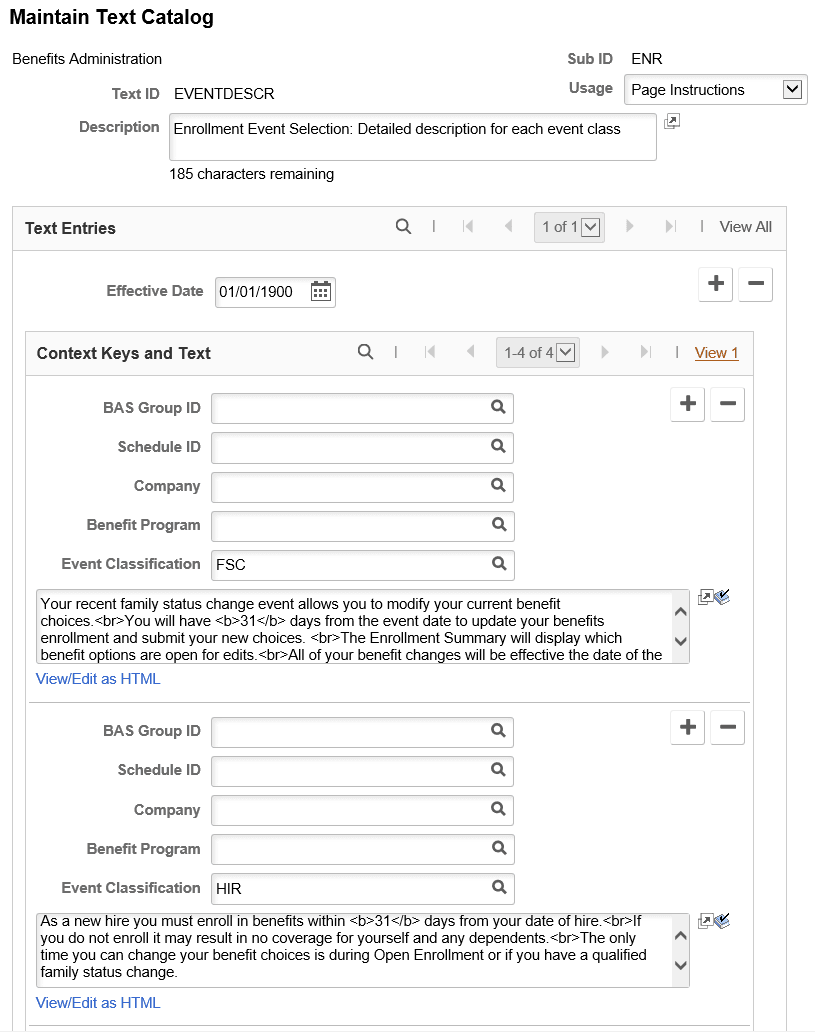
Use the Maintain Text Catalog page (HR_SSTEXT_TEXT) to define text catalog entries and to define the values for context-sensitive keys.
Navigation:
This example illustrates the fields and controls on the Maintain Text Catalog page..
Displaying Text IDs on Benefits Pages
To find out the text id of an instructional text, you can configure to display the text ids of each text area in Benefits pages by using the Display Text Id check box in the Application Fundamentals: Configure Text Catalog Page.
This example illustrates the Configure Text Catalog page.
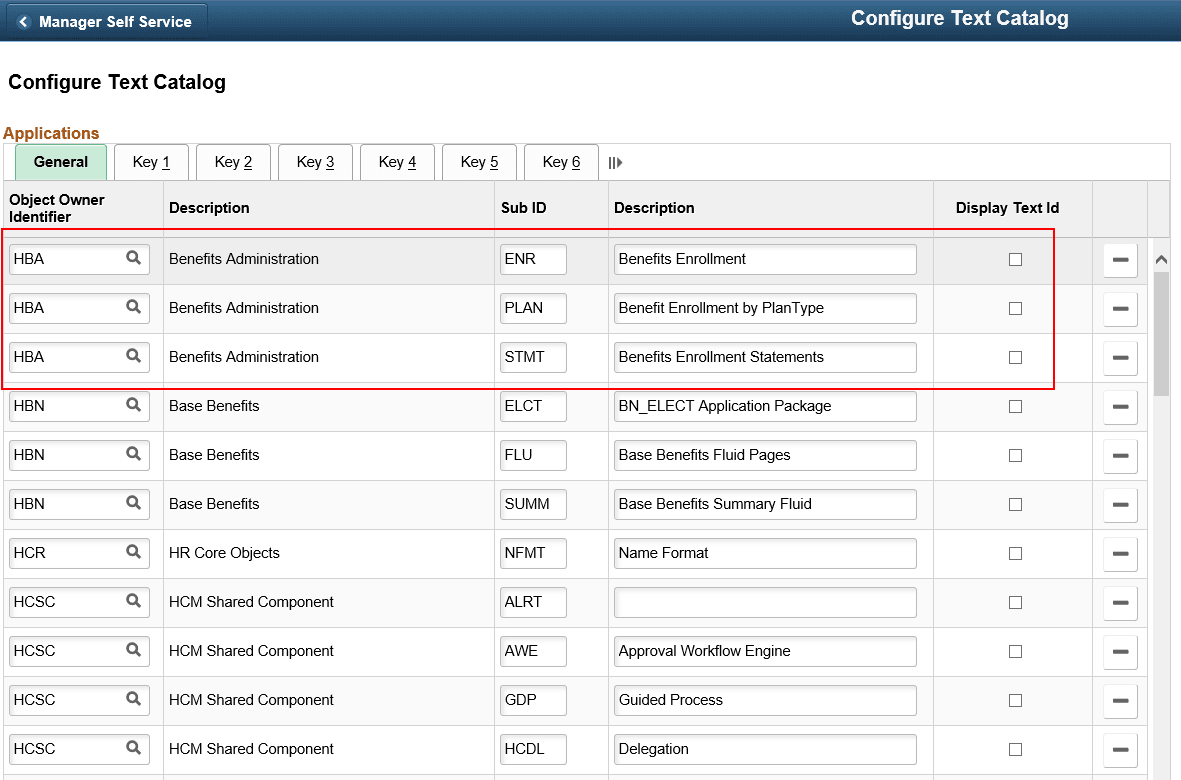
Benefits Administration uses three Sub IDs: ENR, PLAN and STMT.
Select the Display Text Id check box to display the text ids on the different Benefits pages.
Related Topics