Running the Data Archive Manager
Pages Used to Run the Data Archive Manager
| Page Name | Definition Name | Usage |
|---|---|---|
|
PSARCHRUNCNTL |
Define archive jobs. |
|
|
PSARCHIVEAUDIT |
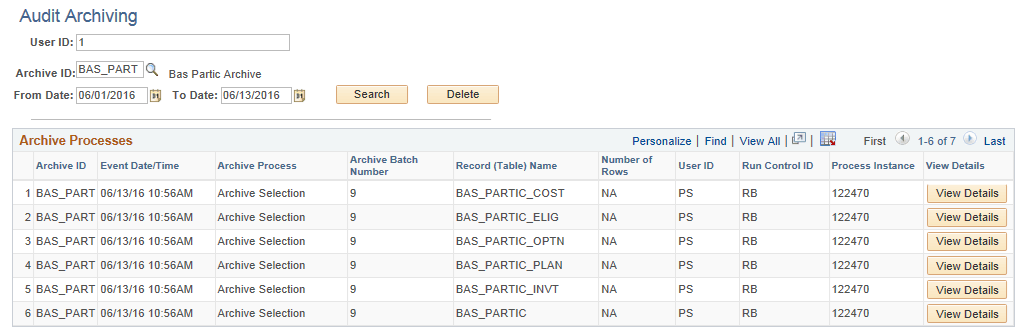
View the results of an archive job. |
Archive Data To History Page
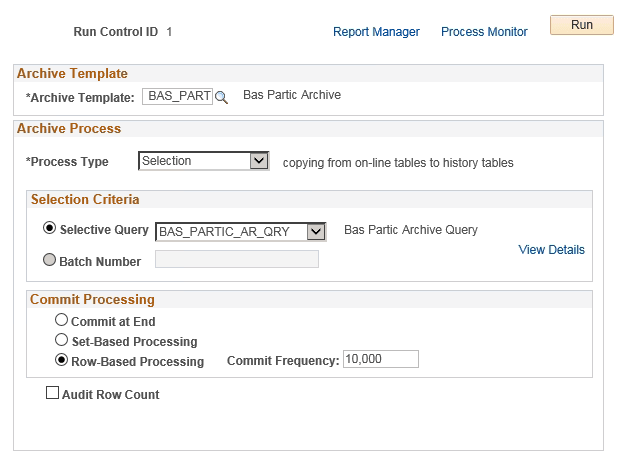
Use the Archive Data To History page (PSARCHRUNCNTL) to define archive jobs.
Navigation:
This example illustrates the fields and controls on the Archive Data To History page.
Data Archiving Processes
You can use the Archive Data To History page to run four different processes:
-
Selection: Copies data from transaction tables to history tables.
-
Delete: Deletes data from transaction tables only if they have already been archived in the history tables.
-
Rollback: Copies data from history tables back to transaction tables.
-
Remove from History: Deletes data from the history tables.
Typically, you run the archive process with Selection to load your history tables, and then run the archive process with Delete to delete data from the transaction tables.
WARNING:
If you run the archive process with Remove from History, then you will not be able to Rollback data from the history tables to the transaction tables.
Note:
You can grant query security access to the benefit event archive history tables in order to support any historical reporting requirements via the Query Manager.