Viewing Employee Benefits Summary Data as an Administrator
Benefits Administrators can use the benefits summary pages to view a summary of employee benefits data and the most recent payroll deduction, regardless of whether the organization uses PeopleSoft Benefits Administration or Base Benefits.
This section lists the pages used by a Benefits Administrator to view employees’ benefits summary data and the latest benefits deductions.
Note:
The deduction summary information is available only for organizations using Payroll for North America or Payroll Interface.
Pages Used to View Benefits Summary Data as an Administrator
| Page Name | Definition Name | Usage |
|---|---|---|
|
BEN_SUMM_GRID_FL |
View benefit enrollment summaries for employees. |
|
|
BEN_SUMM_DTL_FL |
Review information on the employee’s benefit plan pages. |
|
|
BEN_SUMM_DEDN_FL |
Display the latest benefits deductions of a selected employee. |
Benefits Summary Page
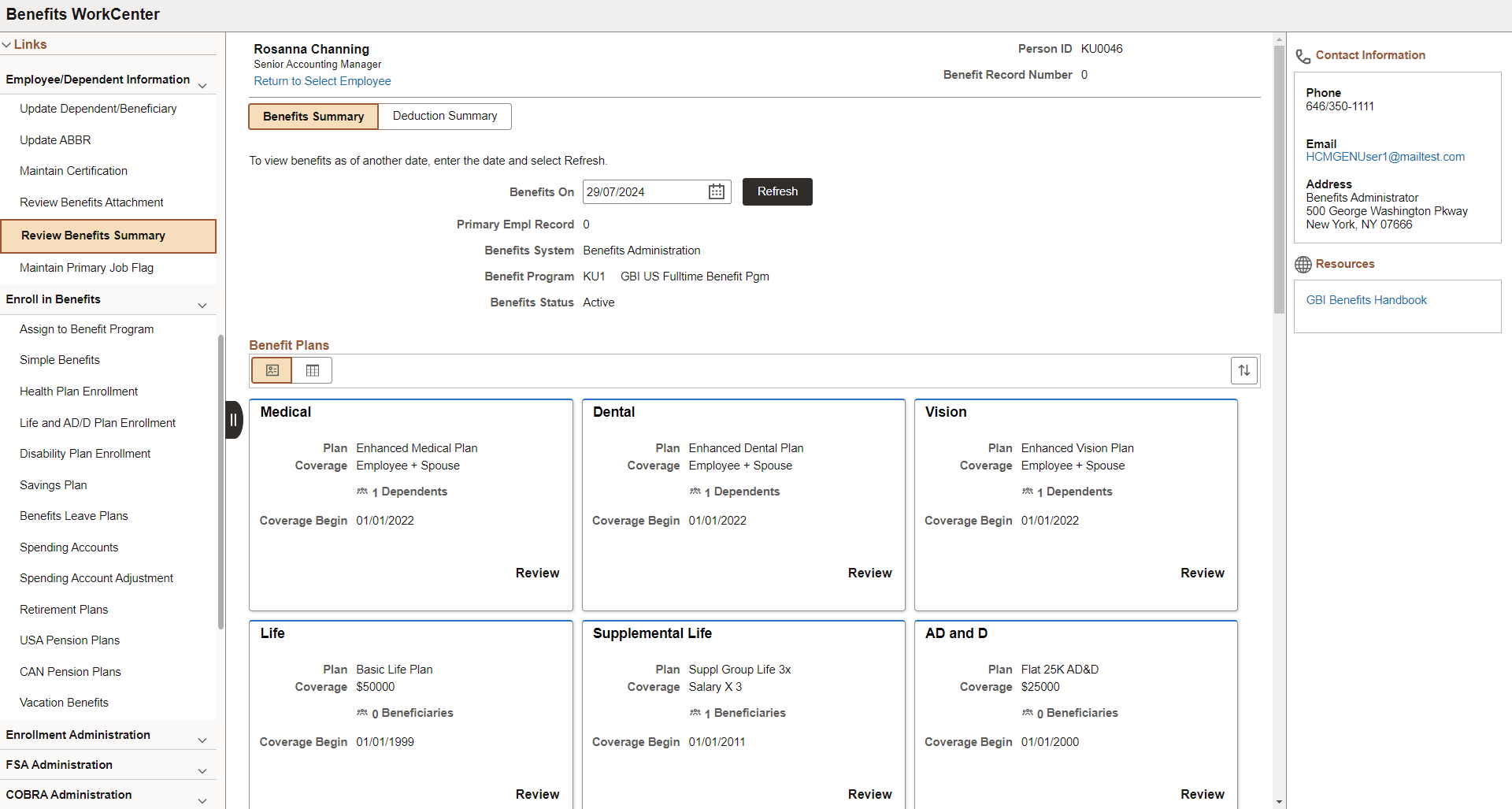
Use the Benefits Summary page (BEN_SUMM_GRID_FL) to view benefit enrollment summary for employees.
Navigation:
This example illustrates the fields and controls on the Benefits Summary page.
Note:
To configure the display of the Contact and Resources panel in the Benefits Summary page, see PeopleSoft Human Resources Manage Base Benefits: Enrollment Contact Assignment Page.
| Field or Control | Description |
|---|---|
|
Return to Select Employee link |
Click this link to return to the search page and select a different employee. |
|
Benefits On |
By default, the page displays benefits as of the current date. To view benefits as of a different date, choose a new date and click the Refresh button. |
|
Benefits Plans |
You can choose to see the selected employee’s benefit plans in either the card or grid view. In the card view, each benefit plan card shows the plan type, employee’s coverage or participation information, and the number of dependents/beneficiaries. You can click the card to access the corresponding employee’s benefit plan page to review the plan details. The grid view shows the enrollment types, a brief description of the benefit, the employee’s coverage or participation, number of dependents/beneficiaries, the coverage begin date, and a Review button. You can click the Review button to access the corresponding employee’s benefit plan page to review the plan details. |
Deduction Summary Page
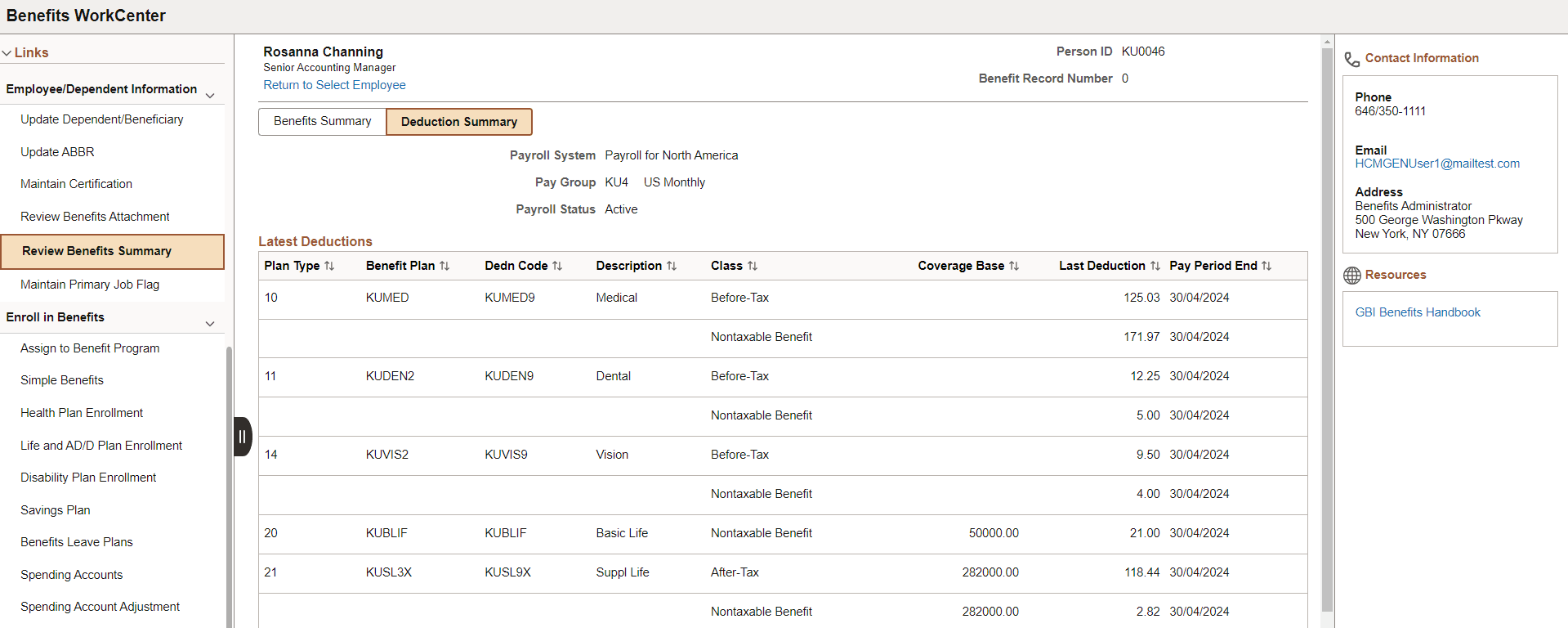
Use the Deduction Summary page (BEN_SUMM_DEDN_FL) to display the latest benefits deductions of a selected employee.
Note:
The Deduction Summary page is available only for organizations using Payroll for North America or Payroll Interface.
Navigation:
-
Click on the Deduction Summary tab.
-
This example illustrates the fields and controls on the Deduction Summary page.
Note:
To configure the display of the Contact and Resources panel in the Deduction Summary page, see PeopleSoft Human Resources Manage Base Benefits: Enrollment Contact Assignment Page.