Managing Compensation Cycle Role Access for Proxies
This topic discusses how to manage compensation cycle role access for proxies.
Page Used to Manage Compensation Cycle Role Access for Proxies
| Page Name | Definition Name | Usage |
|---|---|---|
|
WCS_ECMDLGT_RCTL |
Update compensation cycle role access for proxies. |
Manage Delegation Role Access Page
Use the Manage Delegation Role Access page (WCS_ECMDLGT_RCTL) to update compensation cycle role access for proxies.
Navigation:
This example illustrates the fields and controls on the Manage Delegation Role Access page.
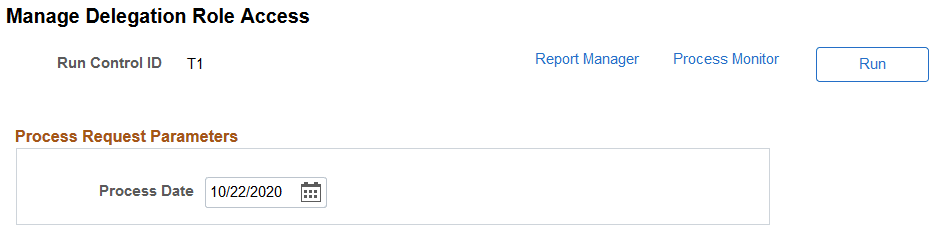
The administrator needs to run the Delegation Access Role Process (WCS_ECM_DLGT) after a proxy (or delegate) accepts or rejects a delegated transaction (confirm, review or submit compensation proposals) using the My Delegated Authorities page (EODL_DLGT_AUTH_PG), when a delegated transaction is revoked, or when the delegation period has ended. This process updates the role access to compensation cycles for proxies. It should be run regularly to keep cycle roles current, when the Delegation functionality is used in compensation cycles.
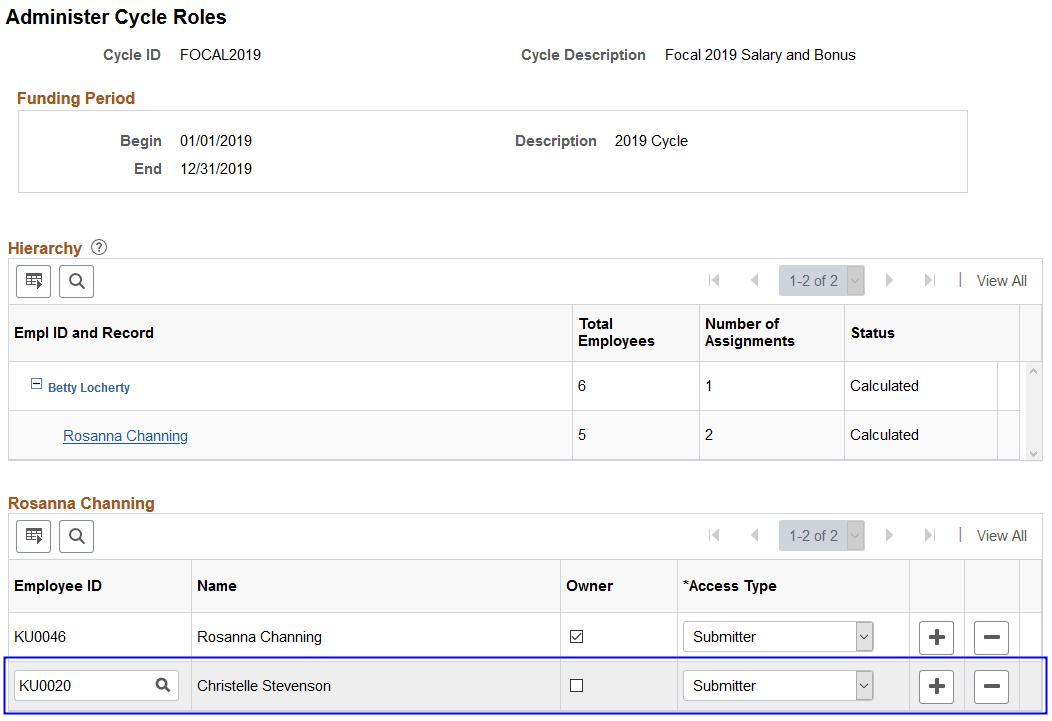
After this process has run successfully, the proxy information (in the case of accepted delegation) appears on the Administer Cycle Roles Page in the hierarchy of compensation cycles in which the delegator (Rosanna Channing in this example) has role access.
This example displays a proxy's role access for a compensation cycle after running the Delegation Access Role Process.
Related Topics