Viewing and Updating Voluntary Deductions
Pages Used to Set Up and View Voluntary Deductions
| Page Name | Definition Name | Usage |
|---|---|---|
|
PY_IC_DED_LIST |
View a list of current voluntary deductions. |
|
|
Add Voluntary Deduction Page Change Voluntary Deduction Page |
PY_IC_DED_DATA |
Add, change, or stop voluntary deductions. |
|
(USF) Distribution Information Page |
W3_GVT_PY_ALOT_IC |
Enter details of the account from which the voluntary deduction is taken. |
Understanding Voluntary Deductions
To control which general deductions employees can update using self service, use the Allow update via Emp Self Serv (allow update via employee self-service) option on the General Deduction Table page in the Payroll for North America application.
If you enable self-service updates for a deduction, employees can update their own voluntary deductions online. The employee's voluntary deduction changes in the ePay transaction directly update the Payroll for North America database tables.
See Also Using the PeopleSoft Fluid User Interface to Manage Additional Payroll Information.
Prerequisite
To use this transaction, select the Allow update via Emp Self Serv option on the General Deduction Table page for each voluntary deduction that employees can update online.
See PeopleSoft Payroll for North America: Defining General Deductions.
Voluntary Deductions Page
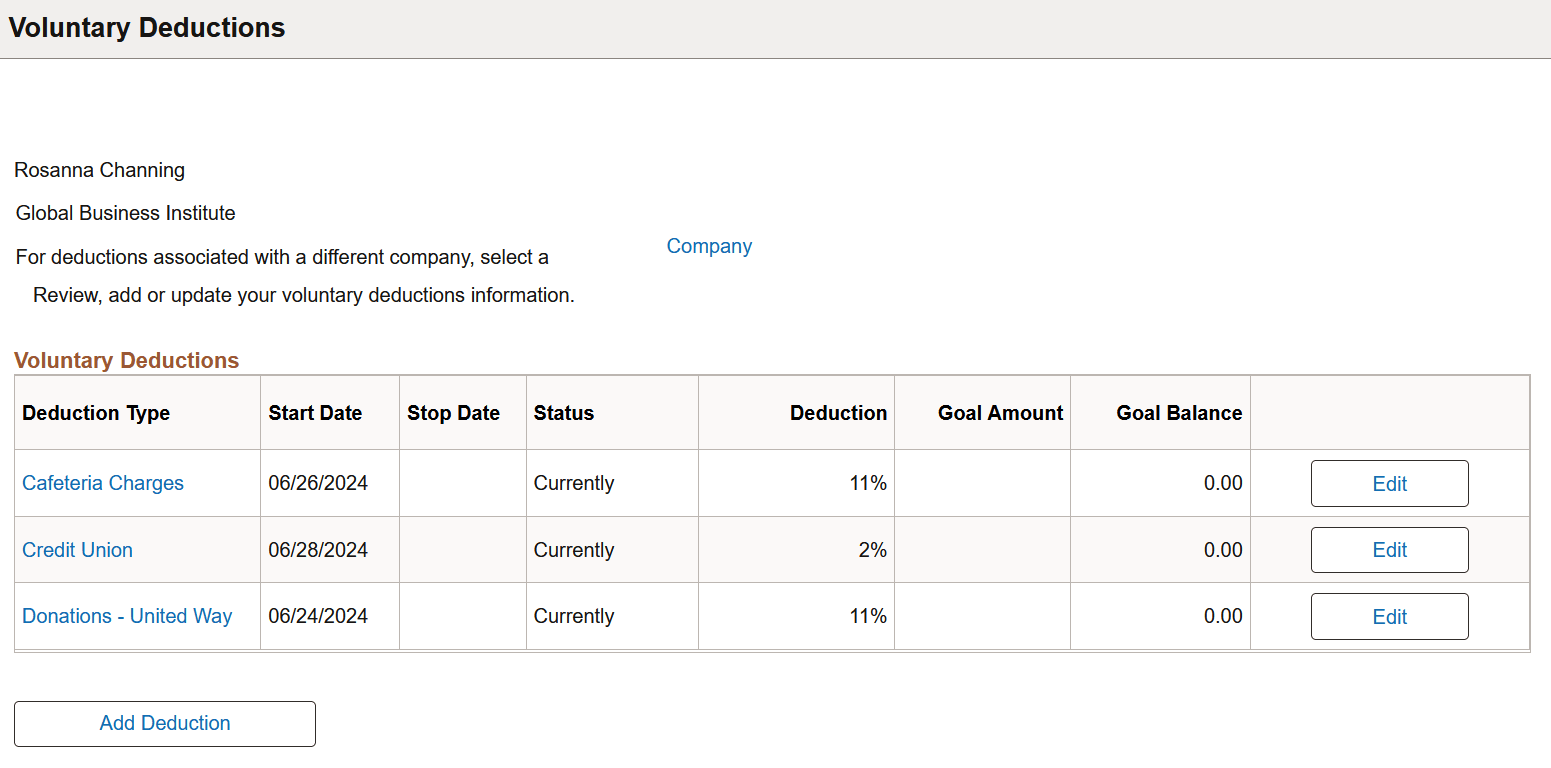
Use the Voluntary Deductions page (PY_IC_DED_LIST) to view a list of current voluntary deductions.
Navigation:
Select the Voluntary Deductions tile from the Payroll dashboard.
This example illustrates the fields and controls on the Voluntary Deductions page.
| Field or Control | Description |
|---|---|
|
Company |
Select this link to choose a company you work for before viewing, adding or updating voluntary deductions on the Voluntary Deductions page (PY_IC_COMPANY). This link appears if you have multiple jobs with different companies. |
|
Deduction Type |
Select this link to view the corresponding voluntary deduction information on a page individually on the Voluntary Deduction Detail page. |
|
Edit |
Select this button to update the corresponding voluntary deduction on the Change Voluntary Deduction page. |
|
Add Deduction |
Select this button to add a new voluntary deduction on the Add Voluntary Deduction page. |