Viewing the Career Snapshot - Compensation Tiles and Pages
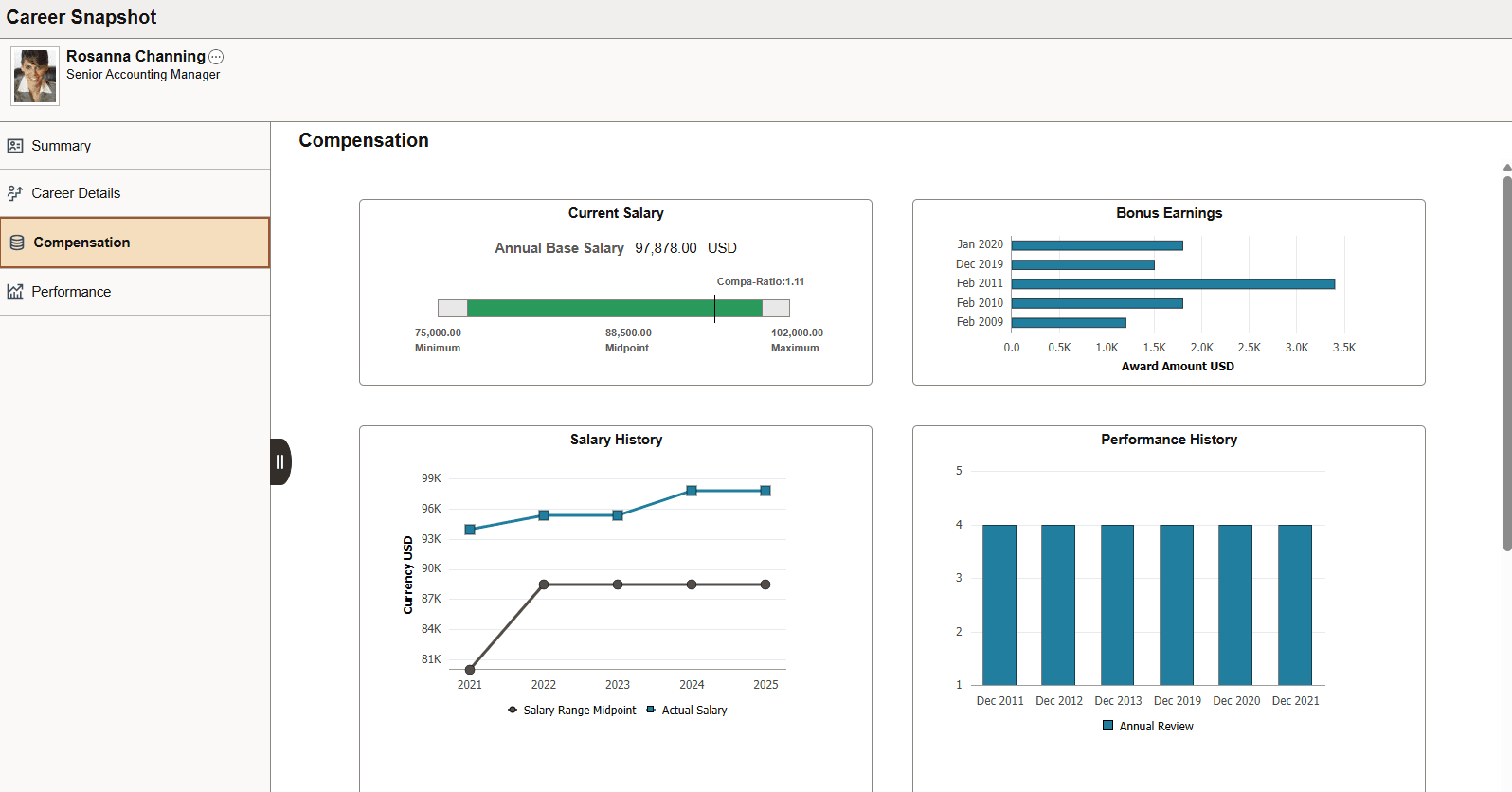
Employees use the Career Snapshot - Compensation dashboard to view tiles and pages that show data related to their compensation and aid in understanding how they are compensated.
This topic discusses and lists the Career Snapshot - Compensation tiles and pages for the employee.
Pages Used to View Career Snapshot - Compensation Tiles and Pages
| Page Name | Definition Name | Usage |
|---|---|---|
|
PT_LANDINGPAGE |
Employees can access a variety of high level tiles about their compensation. |
|
|
HCTS_CMP_SALCUR_FL |
View the salary range for your job and where you fall within that range. |
|
|
PeopleSoft eCompensation Manager Desktop: Compensation History Page (Fluid Employee View) |
HR_EC_HIST_SS_FL |
Review your compensation history. |
|
HCTS_BONUS2_FL |
View a history of bonus amounts you have received over the past few years. |
|
|
HCTS_CMP_SALHST_FL |
View your compensation history in a grid format. |
|
|
PeopleSoft eProfile Manager Desktop: Salary History Details Page |
HCTS_CMP_SALHS_SCF |
View you compensation history in a grid format. |
|
PeopleSoft eProfile Manager Desktop: Performance History Tile |
HCTS_PERFHIST2_FL |
View a summary of your current and historical performance documents. |
|
PeopleSoft eProfile Manager Desktop: Performance History Page |
HCTS_PERFHIST_SCF |
Review your overall ratings from past performance periods using a table grid. |
|
HCTS_CMP_TRW_FL |
View your most recent total rewards statement to review earnings, benefits, and other compensation information in a chart format. |
|
|
PeopleSoft eProfile Manager Desktop: Total Rewards Details Page |
HCTS_CMP_TRGRD_SCF |
View the list of reward items that make up your total rewards. |
Note:
These pages and tiles are similar to those on the (Manager) Team Snapshot and (Administrator) View Snapshot - Compensation Review dashboard. For further information on these tiles and pages, see the PeopleSoft eProfile Manager Desktop: Viewing the Compensation Review Tiles and Pages documentation.
Career Snapshot - Compensation Dashboard
Employees use the Career Snapshot - Compensation dashboard to access a variety of high level tiles about their compensation.
Navigation:
Select the Career Snapshot Tile from the homepage you added the tile and select the Compensation tab.
Note:
You must be assigned the Talent Summary Employee Fluid role to access the Career Snapshot dashboards.
This example illustrates the Career Snapshot - Compensation dashboard.
These tiles are delivered by default with the Compensation dashboard:
Note:
These tiles are delivered by default to appear on the Compensation dashboard page of Career Snapshot; however, the administrator can move the tiles to appear on other Career Snapshot dashboard folders. The navigation in the corresponding topics references the delivered navigation.
| Field or Control | Description |
|---|---|
|
View Another Job link |
This link is available when you have multiple jobs. Select this link to access the View Another Job Page and change the Career Snapshot view to examine data related to another one of your jobs. |