Running the GPS Report
This section discusses how to run the GPS report.
Page Used to Run the GPS Report
| Page Name | Definition Name | Usage |
|---|---|---|
|
GPBR_RC_GPS |
Run the GPS report (GPBRGP01) for the selected establishment and time period. |
GPS Report BRA Page
Use the GPS Report BRA page (GPBR_RC_GPS) to run the GPS report for the selected establishment and time period.
Navigation:
This example illustrates the fields and controls on the GPS Report BRA page.
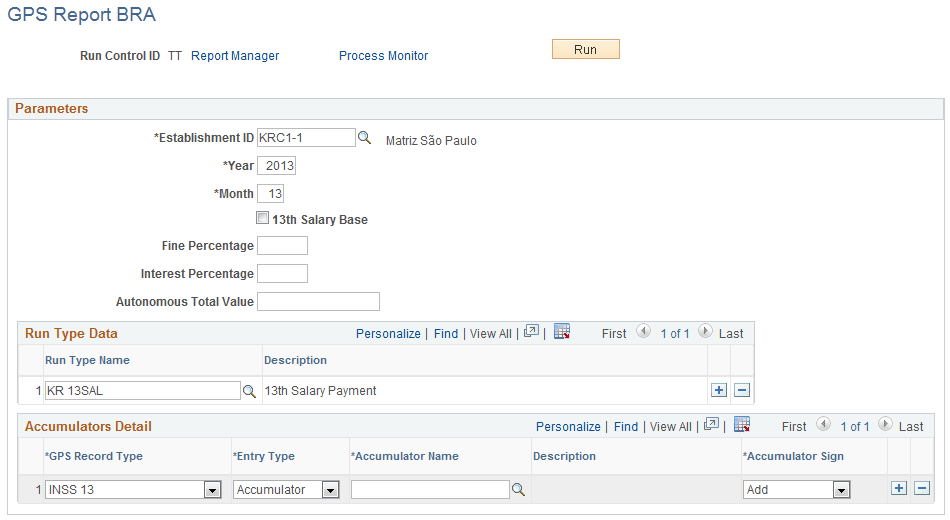
| Field or Control | Description |
|---|---|
|
Year |
Enter a 4-digit number representing the year for which the GPS report runs. |
|
Month |
Enter between 01 to 13 representing the month of the year for which the GPS report runs. The number 13 represents the 13th month salary. |
|
13th Salary Base |
Select to generate the GPS report with INSS contributions for the 13th month salary (for example, in case of terminations). |
Related Topics