Defining Payslip Messages
To define payslip messages, use the Define Payslip Messages (GPCN_PSLP_MSG) component.
Page Used to Define Payslip Messages
| Page Name | Definition Name | Usage |
|---|---|---|
|
GPCN_PSLP_EXT |
Define messages and assign them to a population of payees. |
Understanding Payslip Messages
Payslip messages are text messages placed on the payslip for a payee or a set of payees. The Add Payslip Message CHN page enables the user to specify:
-
Who gets the message.
-
What message text is used.
-
When the message is available.
Add Payslip Messages CHN Page
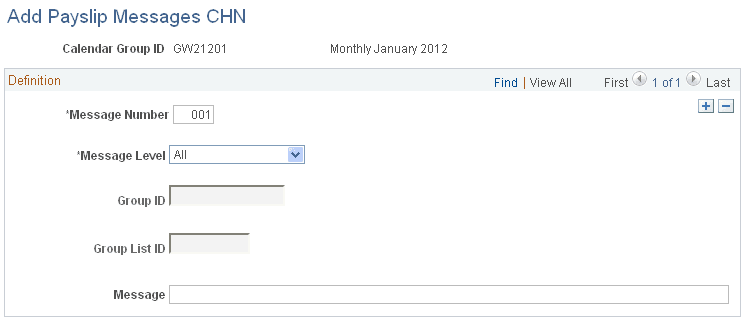
Use the Add Payslip Messages CHN page (GPCN_PSLP_EXT) to define messages and assign them to a population of payees.
Navigation:
This example illustrates the fields and controls on the Add Payslip Messages CHN page.
| Field or Control | Description |
|---|---|
|
Message Level |
Select the population for whom the message will appear on their payslips. Values are:
|
|
Group Build |
If the message level is Group Build, select the group of payees for whom you want this message to appear on their payslips. |
|
Group List |
If the message level is Group List, select the list of payees for whom you want the message to appear on their payslips. |
|
Message |
Enter the message text to appear on the selected payslips. The field length is 254 characters. The message text can be translated on a related language table. |