Generating the EFT Payment File
Page Used to Generate the EFT Payment File
| Page Name | Definition Name | Usage |
|---|---|---|
|
Create EFT Payment File CHN Page (create electronic funds transfer payment file China) |
GPCN_EFT_RC |
Create the EFT file for direct deposits. |
Understanding the Payment EFT File Creation Process
You use the Create Payment EFT page to define the parameters for the EFT file and to run the Create Payment EFT File process.
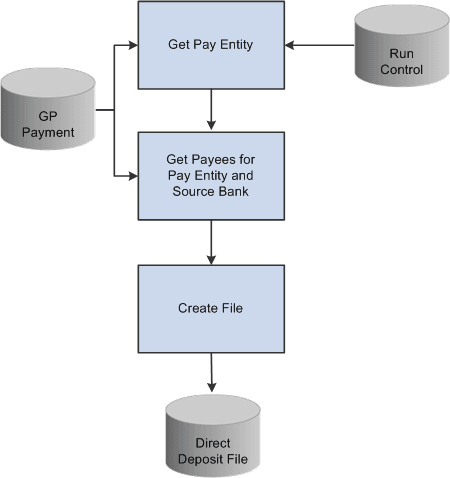
This diagram shows the Create Payment EFT File process:
This diagram shows the Create Payment EFT File process.
Create EFT Payment File CHN Page
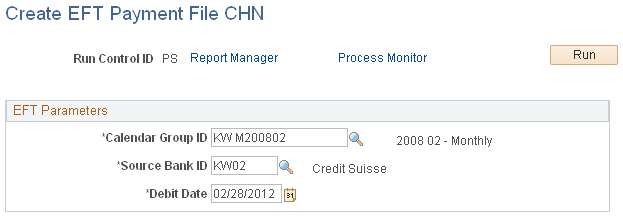
Use the Create EFT Payment File CHN (create electronic funds transfer payment file China) page (GPCN_EFT_RC) to create the EFT file for direct deposits.
Navigation:
This example illustrate the fields and controls on the Create EFT Payment File CHN page.
| Field or Control | Description |
|---|---|
|
Calendar Group ID |
Select the calendar group ID to be used with this Payment EFT file. Only those calendars that are ready for banking are available for selection. |
|
Source Bank ID |
Select a source bank ID. |
|
Debit Date |
Net Pay Distribution data for each payee as of this date is used when the Payment EFT file is created. |
Related Topics