Updating Elements for Wage Certificates
This section discusses how to update elements for wage certificates.
Page Used to Update Elements for Wage Certificates
| Page Name | Definition Name | Usage |
|---|---|---|
|
GPFR_ILLNESS_SETUP |
Update elements to be printed on wage certificates, if necessary, by mapping element types to element names. |
Element Mapping Codes FRA Page
Use the Element Mapping Codes FRA page (GPFR_ILLNESS_SETUP) to update elements to be printed on wage certificates, if necessary, by mapping element types to element names.
Navigation:
This example illustrates the fields and controls on the Element Mapping Codes FRA page. You can find definitions for the fields and controls later on this page.
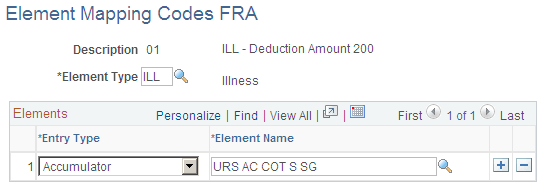
PeopleSoft delivers the list of element codes that the system uses when printing certificates. Each element code is linked to an element—typically an accumulator. For example, if gross salary is required on a certificate, it is linked to the accumulator element for gross salary. Use the Element Mapping Codes FRA page to see which element a code is linked to. You can also change the linked element, when necessary.