Modifying Program Element Mapping
Page Used to Modify Program Element Mapping
| Page Name | Definition Name | Usage |
|---|---|---|
|
GP_PRINT_PARAM |
Add, delete, or modify element assignments to the fields of Application Engine programs. |
Program Element Mapping Page
This section discusses how to assign elements to fields for Application Engine programs.
Use the Program Element Mapping page (GP_PRINT_PARAM) to add, delete, or modify element assignments to the fields of Application Engine programs.
Navigation:
This example illustrates the fields and controls on the Program Element Mapping page. You can find definitions for the fields and controls later on this page.
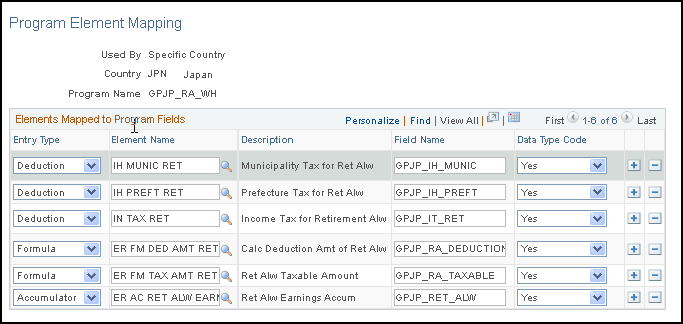
| Field or Control | Description |
|---|---|
|
Entry Type |
Select the type element you want to assign. |
|
Element Name |
Enter the name of the element you want to assign. |
|
Field Name |
Enter the field name to which you want to assign the element. |
|
Data Type CD |
Specify the type of data that each row represents. Values are: Yes: Indicates system data. No: Indicates user-defined data. Sample: Indicates sample data. |