Defining Payslip Sort IDs
To define payslip sort IDs, use the Sort IDs MEX (GPMX_SORTID) component.
Page Used to Define Sort IDs
| Page Name | Definition Name | Usage |
|---|---|---|
|
GPMX_SORTID |
Define the printing order selection for the payslip. The Sort ID is used in the payslip generation process. |
Sort IDs MEX Page
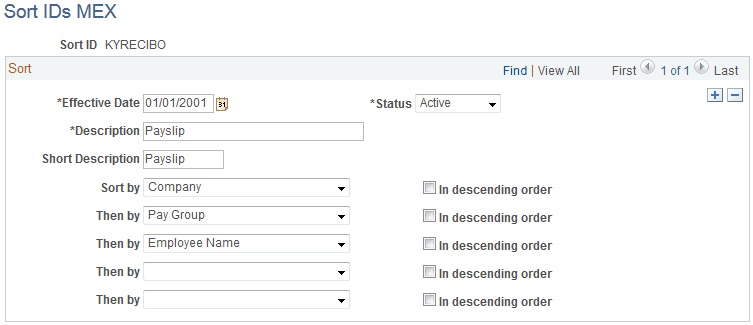
Use the Sort IDs MEX page (GPMX_SORTID) to define the printing order selection for the payslip.
The Sort ID is used in the payslip generation process.
Navigation:
This example illustrates the fields and controls on the Sort IDs MEX page. You can find definitions for the fields and controls later on this page.
| Field or Control | Description |
|---|---|
|
Sort By |
Define what you want the payslip to sort by first. Values include Company, Department, Employee ID, Employee Name, Employee Type, Location, Pay Group, Pay Entity, and Supervisor Code. Once you've defined your sort criteria, this is the order in which the payslip will print information. |
|
Then By |
Select what the next sort criteria will be. You can define sorting of up to five criteria. Values are the same for all Sort fields. |
|
In descending order |
Select if you want the sort order to be in descending order. The default is in ascending order, so if you want to print in descending order, you must specify this by selecting this check box. |