Info Node CFDI Page
Use the Info Node CFDI page (GPMX_INFO_NODE_CFD) to define receipt node’s attributes.
Navigation:
Set Up HCM, Product Related, Global Payroll & Absence Mgmt, Reports, Legal Codes Payslip MEX, Info Node CFDI page
This example illustrates the fields and controls on the Info Node CFDI page.
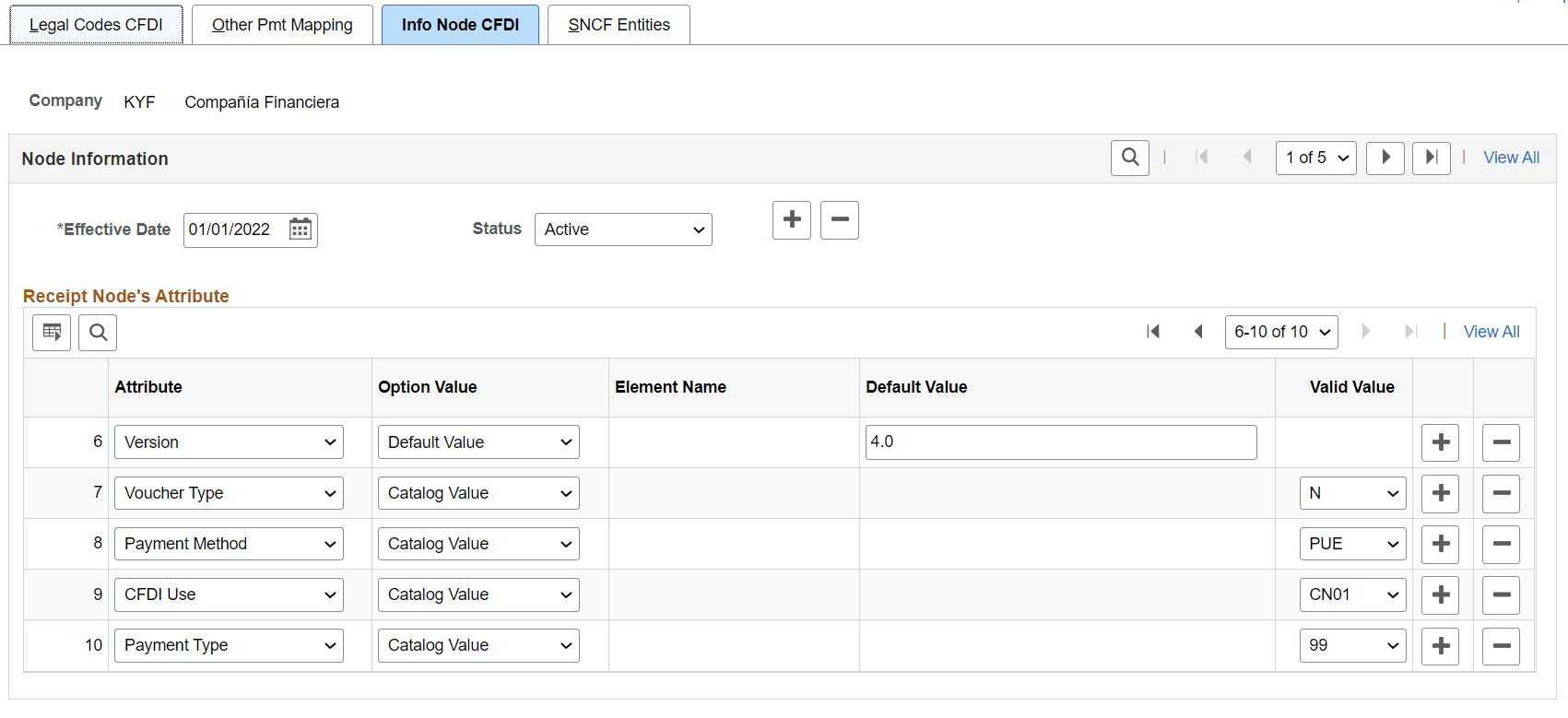
| Field or Control | Description |
|---|---|
|
Company |
The Company to which the Info Node CFDI setup will apply to. |
|
Effective Date |
Date in which the setup takes effect. |
|
Status |
Defines whether or not the setup is valid. The default value for this field is Active. |
|
Attribute |
Select the attribute from the following:
|
|
Option Value |
Select the option value to be printed in the XML from the following:
|
|
Element Name |
Select the system element. This field is displayed only if you select ‘System Elements’ in the Option Value field. |
|
Default Value |
Enter the default value to be displayed in the XML file. This field is enabled only if you select ‘Default Value’ in the Option Value field. |
|
Valid Value |
Select the Valid Value. Displays the values according the Attribute selected. Note: This field is displayed only when Catalog Value is selected in the Option Value field. |
Note:
If this step is skipped then the attributes will not be printed in XML File.