Running the Overtime Report
Page Used to Run the Overtime Report
| Page Name | Definition Name | Usage |
|---|---|---|
|
GPMX_RC_OVR001 |
Provide overtime details for employees. |
Overtime MEX Page
Use the Overtime MEX page (GPMX_RC_OVR001) to provide overtime details for employees.
With this report, you have two options:
-
From week to week with daily details.
-
From week to week without daily details.
Navigation:
This example illustrates the fields and controls on the Overtime MEX page. You can find definitions for the fields and controls later on this page.
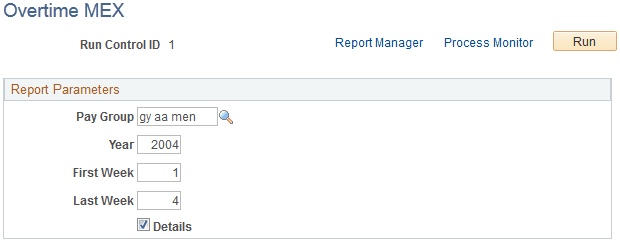
| Field or Control | Description |
|---|---|
|
Pay Group |
Select the pay group for which the overtime report will be run. |
|
Year |
Enter the year for which the overtime report will be run. |
|
First Week andLast Week |
Enter the first week and last week parameters for the overtime report. |
|
Details |
Select if you want to have daily details in the overtime report. |