Defining and Assigning Bank Districts
To define bank districts, use the Define Bank Districts USA (GPUS_DSTRCT_TBL) component. To assign a district ID to a bank, use the Assign Bank Districts USA (GPUS_BNK_DSTRCT) component.
Pages Used to Define and Assign Bank Districts
| Page Name | Definition Name | Usage |
|---|---|---|
|
GPUS_DSTRCT_TBL |
Define district ID information for U.S. banks. |
|
|
GPUS_BNK_DSTRCT |
Assign bank districts to U.S. banks. |
Understanding Bank District Setup
Bank district information must be printed on payslips as part of the ABA fractional number. In PeopleSoft Global Payroll for United States, you set up district IDs and then assign them to banks.
Define Bank Districts USA Page
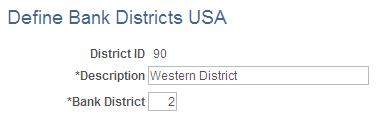
Use the Define Bank Districts USA page (GPUS_DSTRCT_TBL) to define district ID information for U.S. banks.
Navigation:
This example illustrates the fields and controls on the Define Bank Districts USA page.
| Field or Control | Description |
|---|---|
|
District ID |
The district ID entered in the entry dialog box appears. |
|
Description |
Enter a description for the district. |
|
Bank District |
Enter a bank district number that corresponds to the district ID. |
Assigning Bank Districts
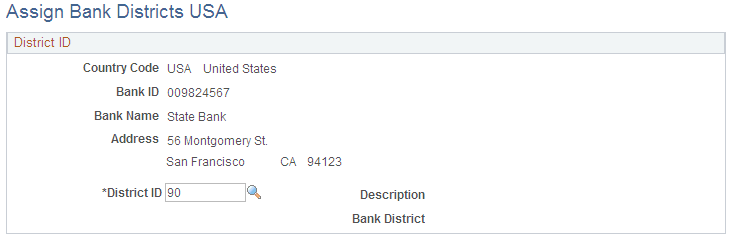
Use the Assign Bank Districts USA page (GPUS_BNK_DSTRCT) to assign bank districts to U.S. banks.
Navigation:
This example illustrates the fields and controls on the Assign Bank Districts USA page.
| Field or Control | Description |
|---|---|
|
District ID |
Select the district ID that corresponds to the bank. The district ID is defined on the District Table USA page. When you select the district ID, the description and bank district information that is defined on the District Table USA page appears. |