Defining Eligibility Groups
To define eligibility groups, use the Eligibility Groups (GP_ELIG_GROUP) component.
Page Used to Define Eligibility Groups
| Page Name | Definition Name | Usage |
|---|---|---|
|
GP_ELIG_GROUP |
Insert element groups into eligibility groups. |
Understanding Eligibility Groups
Eligibility groups indicate the specific elements for which a certain payee population may be eligible. Eligibility groups contain one or more element groups and are often used to differentiate types or levels of workers. For example, you can create an eligibility group of element groups pertaining to company executives.
You assign a default eligibility group to each pay group. Payees assigned to a pay group inherit the eligibility group from the pay group definition. You can override a pay group definition by payee by stating a different eligibility group at the payee level.
Eligibility Groups Page
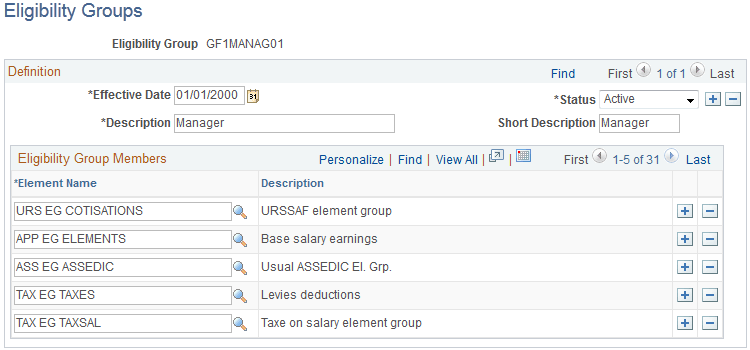
Use the Eligibility Groups page (GP_ELIG_GROUP) to insert element groups into eligibility groups.
Navigation:
This example illustrates the fields and controls on the Eligibility Groups page.
| Field or Control | Description |
|---|---|
|
Element Name |
Select the name of the element group to associate with this eligibility group. To select additional element groups, add more rows. |