Defining Payee Selection Criteria
To setup payee selection criteria for payroll and/or absence processing use the Payee Selection (GP_PAYEE_SELCTN) component
Pages Used to Define Payee Selection Criteria
| Page Name | Definition Name | Usage |
|---|---|---|
|
Payee Selection |
GP_PAYEE_SELCTN |
To define the Payroll Statuses that need to be considered for Payroll and/or Absence Processing. |
Payee Selection Page
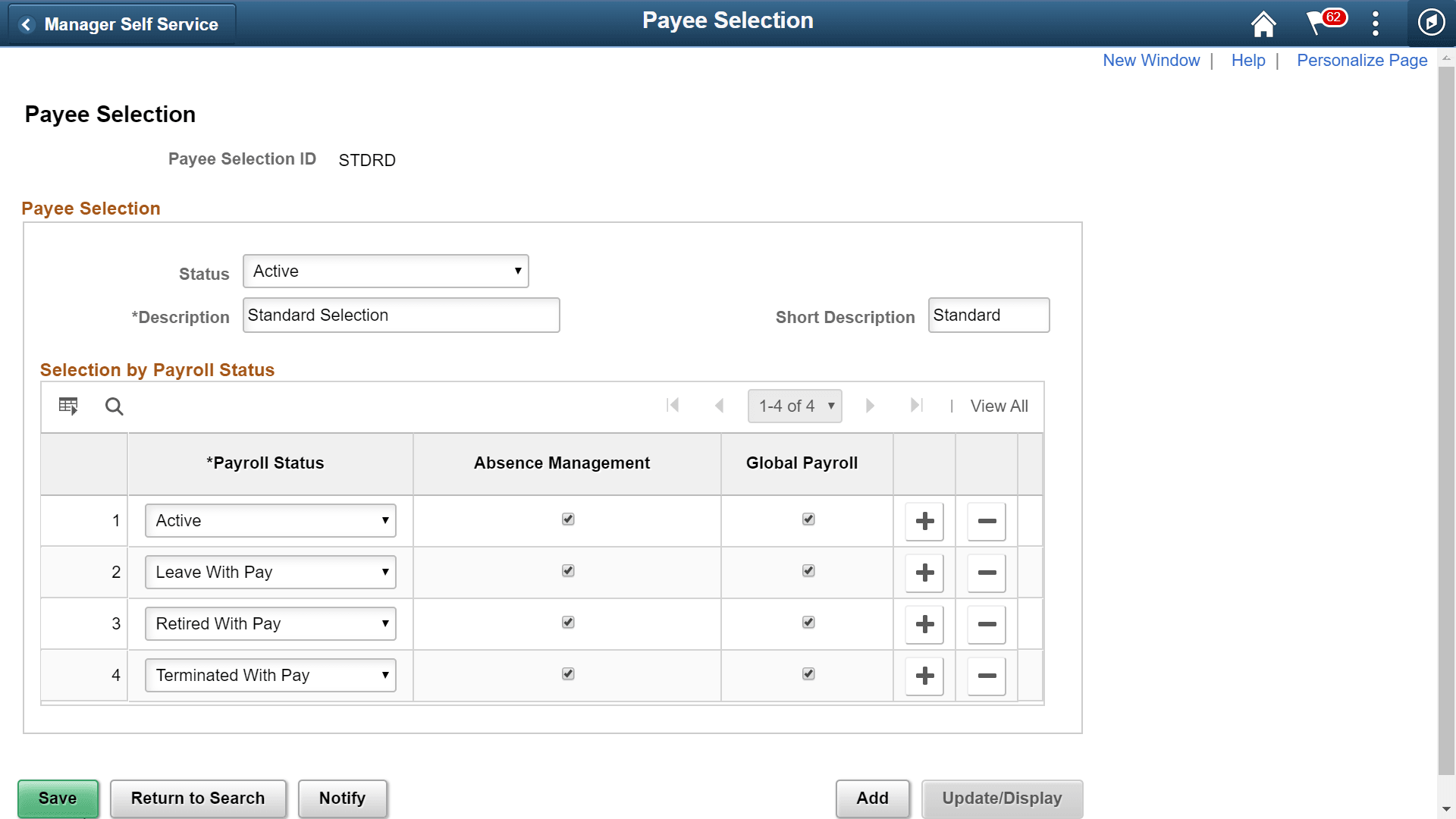
Use Payee Selection page (GP_PAYEE_SELCTN) page to define the Payroll Statuses for employees in a calendar group, that need to be considered for Payroll and/or Absence Processing. Only those employees with ‘Active’ payroll status get processed.
Note:
The payee selection criteria definition identifies the active payees for payroll and/or absence processing.
Navigation:
This example illustrates the fields and controls on the Payee Selection page.
Note:
User need to be careful while considering a payroll status as ‘active’ in the absence calendar. Payee absences (if any) will be processed, but absence calendar will not generate the corresponding positive inputs for payroll calendar. In such scenarios, a warning message for the payee is displayed, so that the user can take appropriate actions.
| Field or Control | Description |
|---|---|
|
Payee Selection ID |
Unique ID of payee selection criteria. STDRD is the default payee selection criteria. |
|
Status |
Payee selection status. Values in the list are:
|
|
Description |
Meaningful description for the payee selection criteria. |
|
Short Description |
Short description for payee selection criteria. |
|
Payroll Status |
Payroll status of the employee. Select the required payroll statuses you want to process for absence or payroll calendars. Note: In case of STDRD (default payee selection criteria), those employees with payroll statuses Active (A), Leave with Pay (P), Retired with Pay (Q), and Terminated with Pay (U) are processed. You can define customized payee selection criteria as per requirements. |
|
Absence Management |
Select this check-box to process the payees for absence calendars. |
|
Global Payroll |
Select this check-box to process the payees for global payroll calendars. |