Direct Reports Phones Pagelet
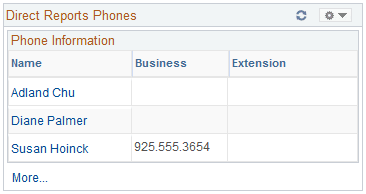
The Direct Reports Phones pagelet displays employee phone contact information.
This example illustrates the fields and controls on the Direct Reports Phones pagelet. You can find definitions for the fields and controls later on this page.
To change the phone type displayed, click theCustomize button in the upper right corner.
| Field or Control | Description |
|---|---|
|
Name |
Click a value in the Name column to see more details about the direct report. |
|
More |
Click to access a wider version of the pagelet with multiple columns showing. additional data. The narrow version displays only one phone type using Display Phone Type 1 from the Personalize Phones page. |