Enabling Approvals for Canceling/Correcting a PAR
As an administrator you can enable Approvals for Cancellation/Correction of Personnel Action Request using Setup Process Definition page.
Note:
By default, Approvals for Cancellation/Correction PAR will be disabled.
To enable Approvals:
-
Access Setup Process Definitions page.
-
Select the required Process ID.
Select the Process ID as FederalPARCancellation, to set up Approvals for Cancellation PAR.
Select the Process ID as FederalPARCorrection, to set up Approvals for Correction PAR.
-
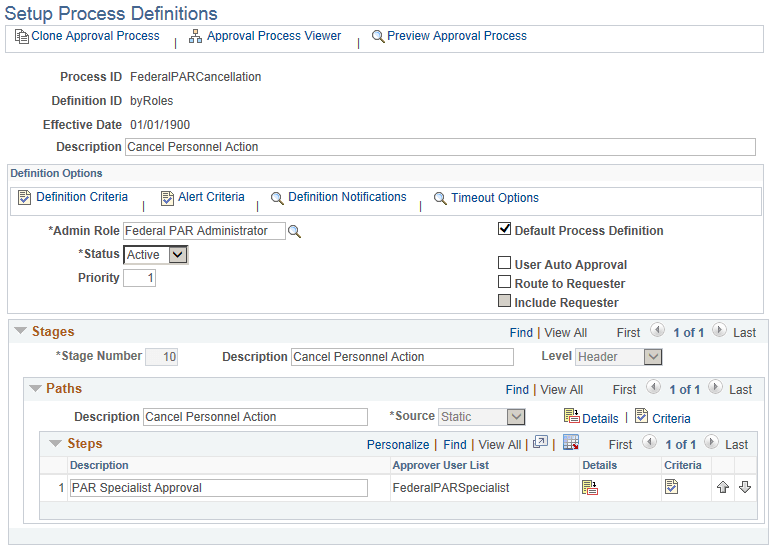
In the Setup Process Definitions page, update the Status field as Active. This indicates that the approval process is available for use.
-
Save to apply the changes.
Navigation:
Enterprise Components, Approvals, Approvals, Approval Process Setup
This example illustrates the Setup Process Definition page when FederalPARCancellation is selected as the Process ID.
For more information on fields and controls of this page, see Approval Framework: Setup Process Definitions Page