Manager Checklist Page
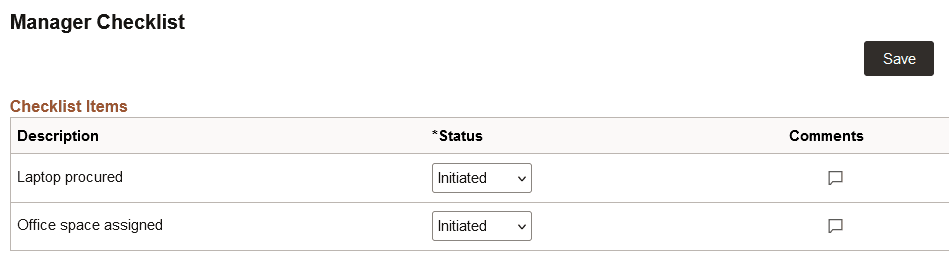
Use the Manager Checklist page (HR_AG_CHECKLIST_FL) to view and update a checklist of tasks that you need to complete as part of the employee's OnBoarding process.
Navigation:
Select the step from the activity guide navigation, or use the navigation buttons, as needed.
This example illustrates the fields and controls on the Manager Checklist page.
| Field or Control | Description |
|---|---|
|
Status |
Indicate the status of this checklist item. Options include:
Important: You must mark all checklist items as Completed and then save the page to set the step status to Complete. |
|
Comments
|
Select this icon to access the Checklist Item Comments page to enter or manage additional information about an item. The callout image icon will appear blank when no comments are available and with lines in the callout when comments are present. |
|
Link ID |
This column displays a link to view additional information about an item, when configured as such. If no links are active, then this column is hidden. Select the link to open the corresponding page in a new browser window to review and manage badge data. Note: If the user does not have access to the component tied to the link, then the link does not appear. |
 (empty Comments icon) or
  (populated Comments icon)
For more information on creating checklists, see Creating Checklists.
Administrators can view a person's checklist using the Person Assignment Checklist Page. Administrators can use that page to add to, modify, or delete a manager's comments.