OnBoarding Activities Page (for Managers)
Use the OnBoarding Activities page (HR_OBD_PROCESS_FL) to view the OnBoarding status of your employees for which you have tasks. Select an employee to launch the activity guide instance and complete the manager tasks for this OnBoarding process.
Navigation:
Select the OnBoarding Manager Activity Tile from the Manager Self Service homepage (or any other homepage where you have added the tile).
This example illustrates the fields and controls on the OnBoarding Activities page (for Managers).
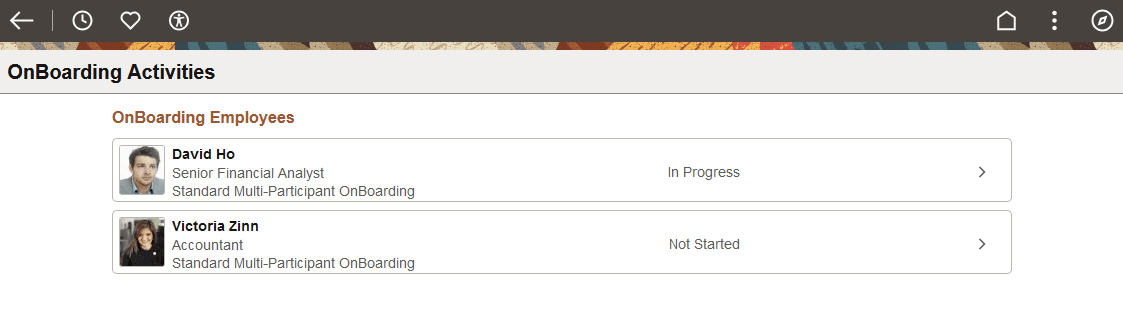
This page displays your direct reports that have a trigger record entry in HR_OBD_TRIGGER (assigned to a multi-participant OnBoarding process), and you are the manager end user participant.
Each row contains the person's name, job title, and shows the OnBoarding template name. Also, each row will display if the OnBoarding instance is Not Started or In Progress. If either you or the employee accesses the OnBoarding process, it creates an instance and the status will show as In Progress.
Note:
If the employee does not have a user profile with the OnBoarding Employee role, you cannot create an instance and access the activity guide, since EE OPRID is a context key.
To view the status of the individual employee steps, see Viewing OnBoarding Activity Statuses as a Manager.