Social Security Scheme Table - Work Group Page
Use the Work Group page (SOCS_WRKGRP_ESP) to define maximum and minimum social security bases by work group, as well as the minimum hourly rate used to calculate the base for part-time employees.
Navigation:
This example illustrates the fields and controls on the Work Group page.
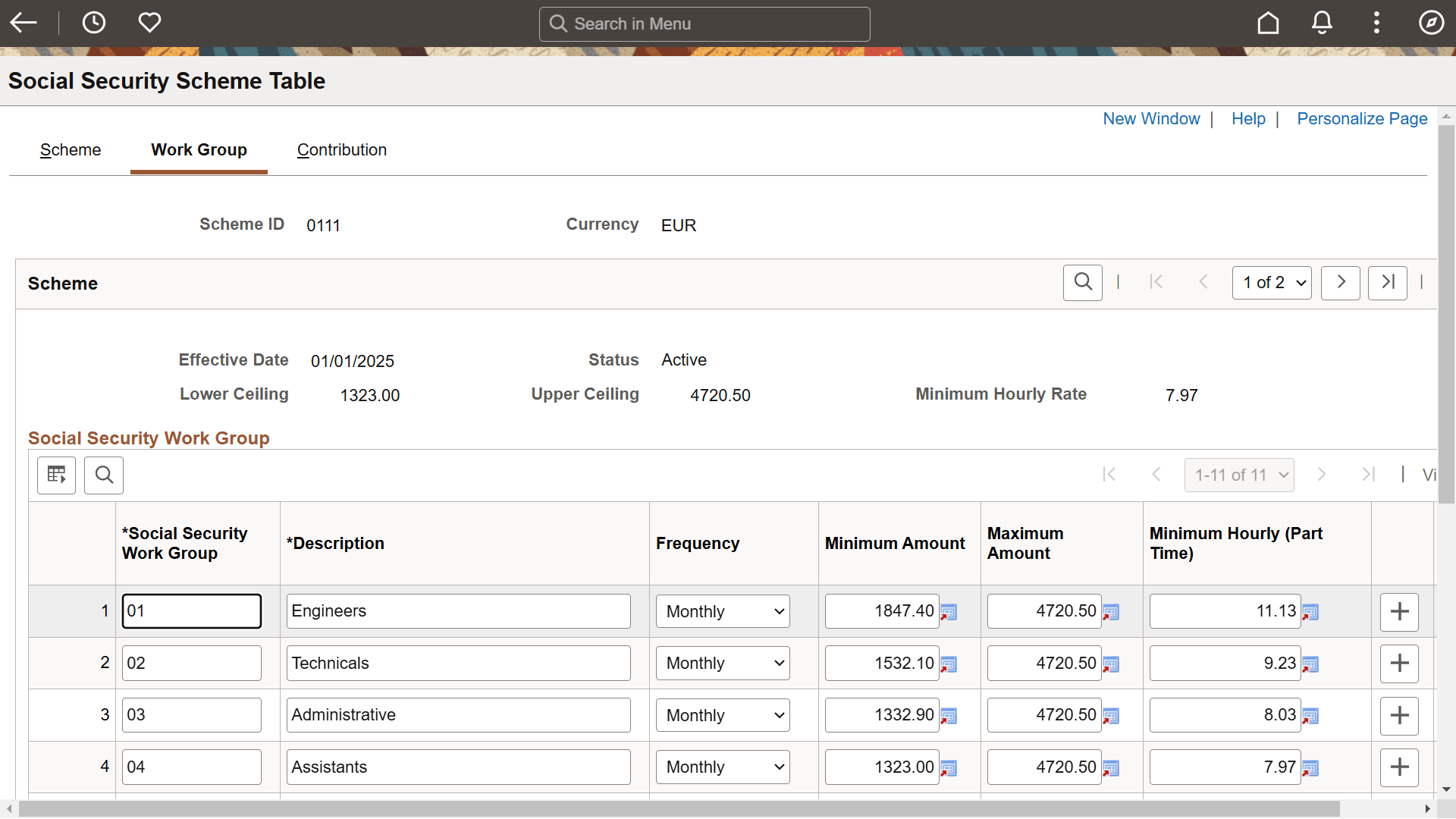
Once you've reviewed the ceilings and hourly rate on the Scheme page, use the Work Group page to view and update the maximum and minimum bases for regular employees, and the minimum hourly rate used to calculate the funding base for part-time employees. If you need to define rates and percentages for schemes other than the general scheme, you can do so on this page as well.
| Field or Control | Description |
|---|---|
|
Social Security Work Group |
All employees who contribute to social security must be assigned to social security work groups (also known as contribution groups) based on their level of education, professional skills, and job title. The SS Work Group field displays the numerical code for each group. |
|
Frequency |
This field displays an M (Monthly) or a D (Daily), depending on whether members of the social security work group have their contributions calculated on a daily basis or a monthly basis. |
|
Minimum Amount |
Enter the minimum amount used to calculate the common contingencies funding base. |
|
Maximum Amount |
Enter the maximum amount used to calculate the common contingencies funding base. |
|
Minimum Hourly (Part Time) |
Enter the minimum hourly rate used to calculate the common contingencies funding base for part-time employees. Note: To trigger the correct part-time calculation of the base, you must specify whether the employee is working on a full or part-time basis in the Full/Part field on the Job Information page. |
Related Topics