Transfer Entry by Department Page
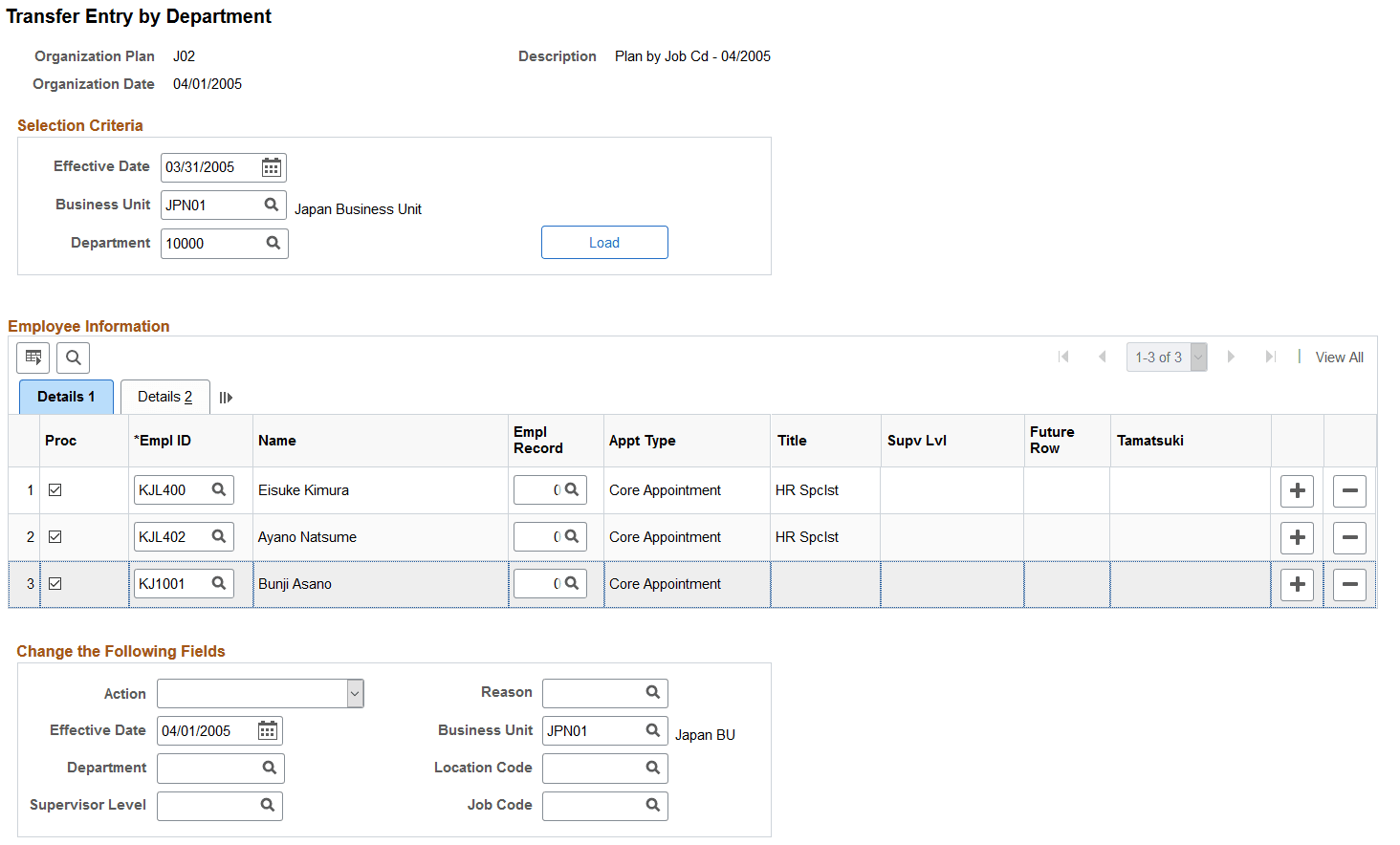
Use the Transfer Entry by Department page (IDO_MASS_TRANS_JPN) to transfer multiple employees from one department to another.
Navigation:
This example illustrates the fields and controls on the Transfer Entry by Department page. You can find definitions for the fields and controls later on this page.
| Field or Control | Description |
|---|---|
|
Load |
Click the Load button to list the employees for a particular business unit and department who are available for transfer to another department. |
|
Proc (Process) |
The Proc check box is selected by default. When it is selected, employees are transferred to another department or have other job-related information changed. The changes are applied when the page is saved. For example, department 100 is being closed. Half the employees in that department will be assigned to department 110, and the other half will be assigned to department 120. First, open this page and display all employees in department 100. Then enter a transfer to department 110 in the Change the Following Fields group box and deselect the Proc check box for those employees who should be transferred to department 120. After saving the page, enter a transfer for department 120, deselect the employees in department 110, reselect the employees to be transferred to department 120, and save the page again. |
|
Action |
Select the action to use for inserting a new Job row. |
|
Reason |
Select a code to specify why the value is being changed. |
|
Effective Date |
Enter a date to specify when the change becomes effective. |
|
Business Unit, Department, Location Code, Supervisor Level, and Job Code |
Enter values in these fields to specify new information for the employees selected. Note: These fields should be left blank if a user does not want to change the data for the employees. For example, if you want to move employees from department 100 to 110 but want them to keep their old job codes, you would leave the Jobcode field blank on the page. On the other hand, if you want to assign all the employees to job code J200 and change their departments, you would enter J200 in the Jobcode field. |