Calculating Retroactive Benefits and Deductions
For each pay period after the process start date through the process end date, the retroactive benefit/deduction calculation process determines:
-
The original benefit and deduction amounts.
-
The retroactive benefit and deduction amounts.
This section discusses how to calculate retroactive benefits and deductions.
Pages Used to Calculate Retroactive Benefits and Deductions
| Page Name | Definition Name | Usage |
|---|---|---|
|
RUNCTL_RTRODEDCALC |
Run the Retroactive Benefits and Deductions Process. Set up calculation processes for individual and mass retroactive benefit/deduction requests. |
|
|
RETRODED_MESSAGES |
View error messages for the calculation process. |
Calculate Retroactive Ben/Deds Page
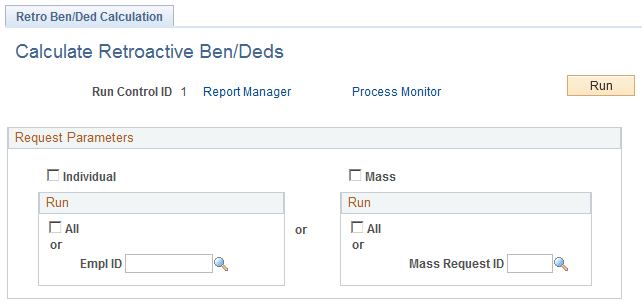
Use the Calculate Retroactive Ben/Deds (calculate retroactive benefit/deduction) page (RUNCTL_RTRODEDCALC) to run the Retroactive Benefits and Deductions Process.
Set up calculation processes for individual and mass retroactive benefit/deduction requests.
Navigation:
This example illustrates the fields and controls on the Retro Ben/Ded Calculation page. You can find definitions for the fields and controls later on this page.
| Field or Control | Description |
|---|---|
|
Individual and Mass |
Select to run an individual or a mass request. You can run all requests or a request that is associated with a specific ID. To process several individual employees, set up multiple run controls for each, and then run the process several times. |
Viewing Error Messages
Use the Retro Benefit/Ded Messages (retroactive benefit/deduction process) page (RETRODED_MESSAGES) to view error messages for the calculation process.
Navigation:
This example illustrates the fields and controls on the Retro Benefit/Ded Messages page. You can find definitions for the fields and controls later on this page.
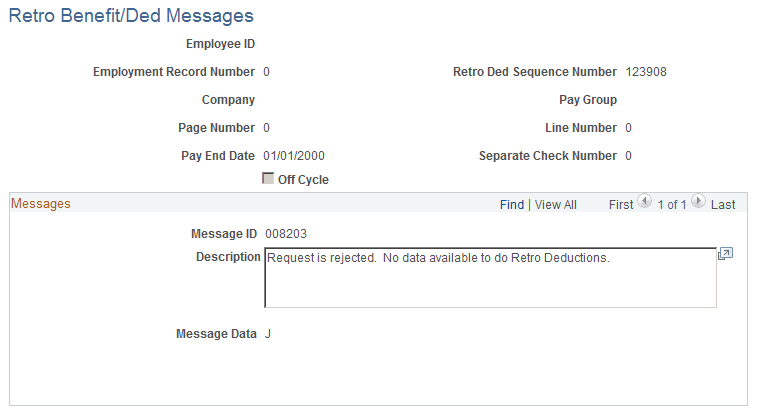
You can select specific sets of error messages on this page. The system prompts you to search for error messages based on aspects of the retroactive benefit/deduction requests involved. For example, you can select error messages for retroactive benefit/deduction requests that have a specific company, pay group, and pay end date combination.