Reviewing Actuals Distribution After GL Posting

To review actuals distribution after GL posting, use the Review Budget Actuals component (BUDGET_ACTUALS).
Page Used to Review Actuals Distribution After GL Posting

Page Name Definition Name Usage

Budget Actuals Page

BUDGET_ACTUALS

Review budget actuals records after posting to general ledger.

Before using this page, you must have run the Actuals GL Interface process.

Budget Actuals Page

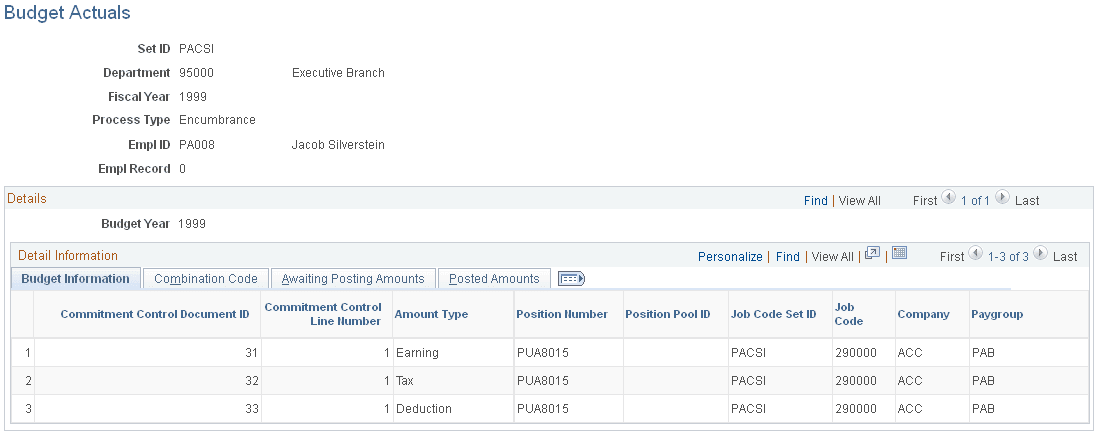
Use the Budget Actuals page (BUDGET_ACTUALS) to review budget actuals records after posting to general ledger.

Before using this page, you must have run the Actuals GL Interface process.

Navigation:

  • Payroll for North America, and then Payroll Distribution, and then Commitment Accounting CAN, and then Review Budget Actuals

  • Payroll for North America, and then Payroll Distribution, and then Commitment Accounting USA, and then Review Budget Actuals

  • Payroll for North America, and then Payroll Distribution, and then Commitment Accounting USF, and then Review Budget Actuals

This example illustrates the fields and controls on the Budget Actuals page.

Budget Actuals page