Running the Retroactive Distribution Report
Page Used to Run the Retro Distribution Report
| Page Name | Definition Name | Usage |
|---|---|---|
|
RUNCTL_BUD020 |
Run the Retro Distribution report (BUD020). This reports on the paychecks that have been modified using retroactive distribution. The report displays the old and the modified check data. |
Retro Distribution Audit Report Page
Use the Retro Distribution Audit Report page (RUNCTL_BUD020) to run the Retro Distribution report (BUD020).
This reports on the paychecks that have been modified using retroactive distribution. The report displays the old and the modified check data.
Navigation:
This example illustrates the fields and controls on the Retro Distribution Audit Report page.
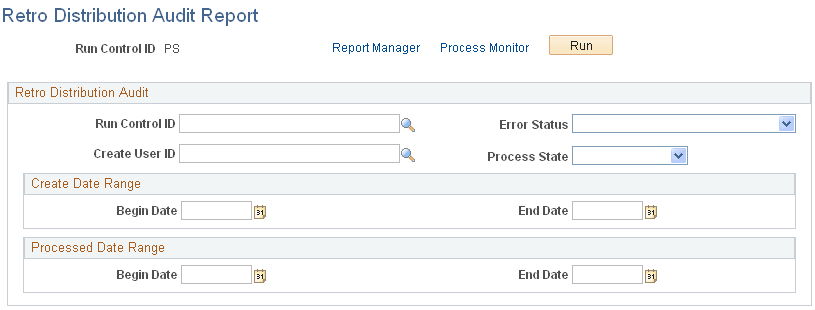
| Field or Control | Description |
|---|---|
|
Run Control ID |
Select the Run Control ID of the Create Retro Distribution Transactions process on which you want to report. |
|
Create User ID |
Select the Create User ID of the retroactive processes on which you want to report. |
|
Error Status |
Select the error status of the retroactive transactions on which you want to report. |
|
Process Status |
Select the process status of the retroactive transactions on which you want to report. |
|
Create Date Range |
Enter the create date range. |
|
Start Date and End Date |
Select the created date range of the transactions on which you want to report on. |
|
Processed Date Range |
Enter the processed date range. |