Calculating Promotion Probation Period End Dates
This section discusses how to calculate promotion probation period end dates.
Pages Used to Calculate Promotion Probation Period End Dates
| Page Name | Definition Name | Usage |
|---|---|---|
|
RUNCTL_FPA005 |
Calculate the promotion probation period end dates. |
|
|
Current PPd Schedule (current probation period schedule) Page |
RUNCTL_FROMTHRU |
Generate the Probation Period in Progress Schedule report (FPA405), which lists employees who have a promotion probation period during a selected period. |
Calculate End of Probation Pd Page
Use the Calculate End of Probation Pd (calculate end of probation period) page (RUNCTL_FPA005) to calculate the promotion probation period end dates.
Navigation:
This example illustrates the fields and controls on the Calculate End of Probation Pd page. You can find definitions for the fields and controls later on this page.
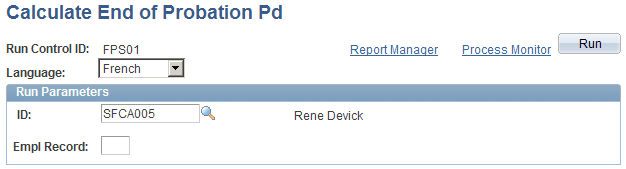
To calculate the probation period end date for all trainees, leave the ID (employee ID) and Empl Rcd# (employee record number) fields blank.
The Calculate End of Probation Period SQR process (FPA305) determines the exact probation period end date, accounting for civil service position breaks and part-time positions.
This process:
-
Calculates the date, depending on the corps change date and the probation period length.
Length is determined when you set up the new grade.
-
Considers the civil service positions that are held by an employee during the probation period.
Some civil service positions can suspend the promotion probation period and postpone the probation period end date.
-
Considers the work-time percentage for a part-time employee.
-
Displays the Period End Date on the Career-Classification page.