Running the Retroactivity Process
This section discusses how to start retroactive processing.
Page Used to Run the Retroactivity Process
| Page Name | Definition Name | Usage |
|---|---|---|
|
RUNCTL_FPA005 |
Start retroactive processing. |
Retroactive Processing Page
Use the Retroactivity Processing page (RUNCTL_FPA005) to start retroactive processing.
Navigation:
This example illustrates the fields and controls on the Retroactivity Processing page. You can find definitions for the fields and controls later on this page.
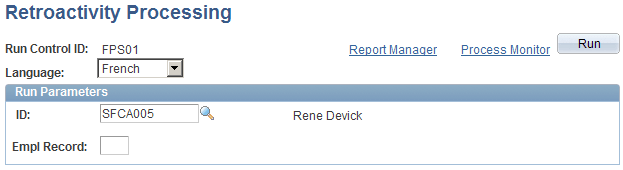
To start retroactive processing, enter the run parameters and click Run. If you don't select an employee ID, the process applies to all employees with an active retroactive flag.