Setting Up Child Allowance Types
To set up child allowance types, user the Child Allowance Type (GPS_CHILD_ALLOW) component.
This section provides an overview of child allowance types and discusses how to set up child allowance types.
Page Used to Set Up Child Allowance Types
| Page Name | Definition Name | Usage |
|---|---|---|
|
GPS_CHILD_ALLOW |
Specify child allowance amounts that eligible children in a household can collect each month. |
Understanding Child Allowance Types
You use child allowance types to specify the approved allowance amount for each child in a household. Each child is assigned a number based on birth order, with 1 being the oldest, 2 the second oldest and so on. Using this information, the system populates the base child allowance amount for an eligible child on the Child Allowance Administration page.
Child Allowance Type Page
Use the Child Allowance Type page (GPS_CHILD_ALLOW) to specify child allowance amounts that eligible children in a household can collect each month.
Navigation:
This example illustrates the fields and controls on the Child Allowance Type page.
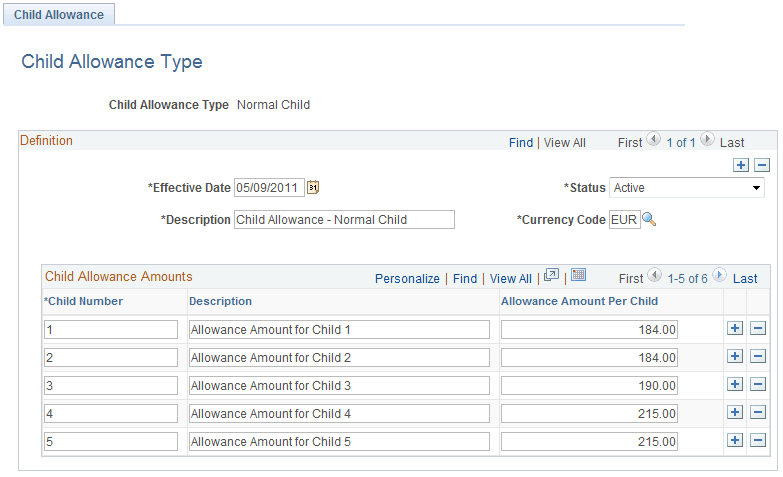
Use this page to specify the monthly child allowance amount that each eligible child is entitled to as approved by the current legislation. The information is effective-dated.
In single-child household, the child is always assigned the child number of 1; in a household with multiple children, child number 1 is assigned to the oldest child, 2 to the second oldest, and so on. The system delivers a child allowance type named Normal Child.