Running Layoff and Recall Reports
To run layoff and recall reports, use the Seniority Report component (HR_RUNCTL_LAY003), Layoff Roster Report component (HR_RUNCTL_LAY001), Bumping Report component (HR_RUNCTL_LAY002), Candidate List Report component (HR_RUNCTL_LAY004), and the Recall Roster Report component (HR_RUNCTL_LAY005).
This topic discusses how to run layoff and recall reports.
Pages Used to Run Layoff and Recall Reports
| Page Name | Definition Name | Usage |
|---|---|---|
|
HR_RUNCTL_LAY001 |
Use to run a report on the setup and roster list information of a layoff roster (HRLAY001). |
|
|
HR_RUNCTL_LAY002 |
Use to run the Bumping report (HRLAY002). This report displays worker job data history and bumping sequence as set up on the labor agreement. |
|
|
HR_RUNCTL_LAY003 |
Use to run the Seniority report (HRLAY003). The report lists workers, their seniority dates, and the values for those dates. |
|
|
HR_RUNCTL_LAY004 |
Use to run the Candidate List Report (HRLAY004). This report lists the workers with recall rights that have not expired. |
|
|
HR_RUNCTL_LAY005 |
Use to run a report (HRLAY005) on the setup and roster list information of a recall roster. |
Layoff Roster Report Page
Use the Layoff Roster Report page (HR_RUNCTL_LAY001) to use to run a report on the setup and roster list information of a layoff roster (HRLAY001).
Navigation:
This example illustrates the Layoff Roster Report page.
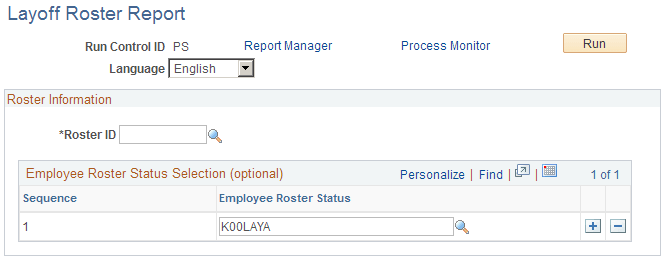
Select the Roster ID you want to report on. To further categorize, select one or more employee roster status in the order in which you want the report to list the people with those statuses.
Bumping Report Page
Use the Bumping Report page (HR_RUNCTL_LAY002) to use to run the Bumping report (HRLAY002).
This report displays worker job data history and bumping sequence as set up on the labor agreement.
Navigation:
This example illustrates the Bumping Report page.
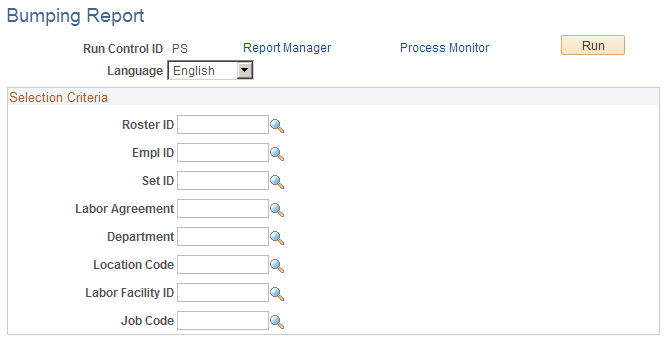
Select the roster ID you want to report on. To further limit your search, select values in the other fields. The system will only return the information for those workers that meet the criteria you specify.
Seniority Report Page
Use the Seniority Report page (HR_RUNCTL_LAY003) to use to run the Seniority report (HRLAY003).
The report lists workers, their seniority dates, and the values for those dates.
Navigation:
This example illustrates the Seniority Report page.
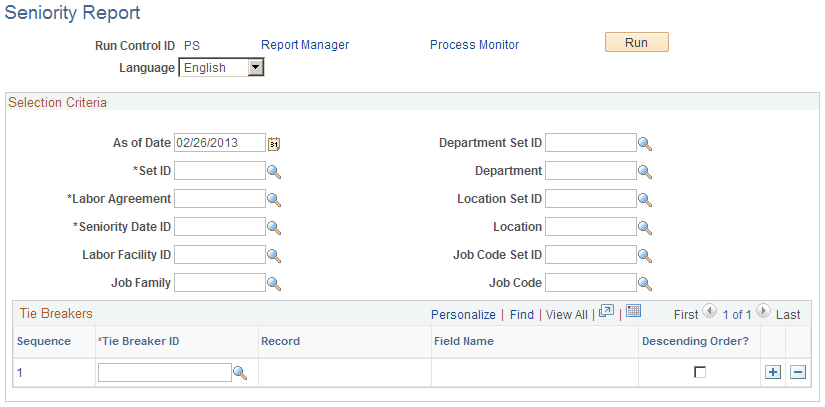
Select values in the fields to limit your search. The system will return only the seniority information for those workers that meet the criteria you specify.
Candidate List Report Page
Use the Candidate List Report page (HR_RUNCTL_LAY004) to run the Candidate List Report (HRLAY004).
This report lists the workers with recall rights that have not expired.
Navigation:
This example illustrates the Candidate List Report page.
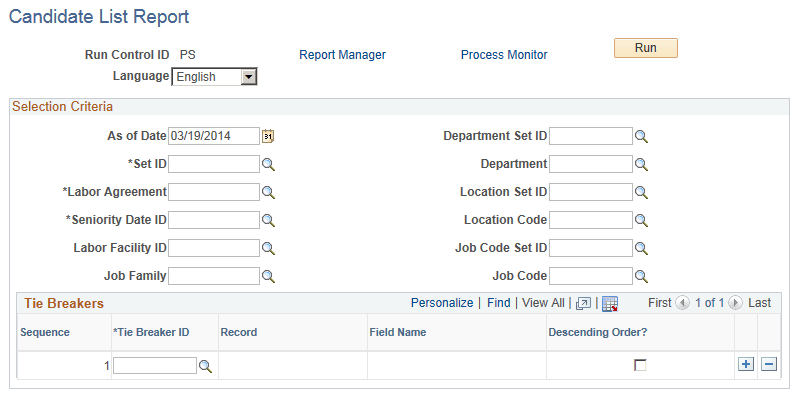
Select values in the fields to limit your search. The system will return only the candidates who meet the criteria you specify.
Recall Roster Report page
Use the Recall Roster Report page (HR_RUNCTL_LAY005) to run a report (HRLAY005) on the setup and roster list information of a recall roster.
Navigation:
This example illustrates the Recall Roster Report page.
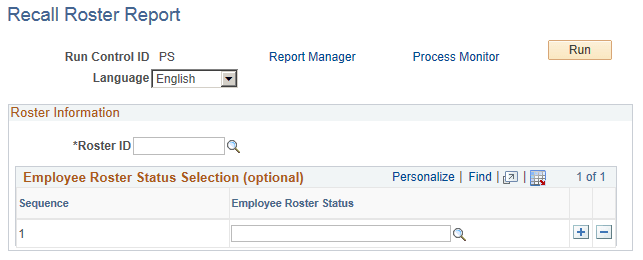
Specify the roster ID for the report. Optionally, specify employee roster statuses to include.