Setting Up Bargaining Units
To set up bargaining units use the Bargaining Unit component (BARG_UNIT_TBL) or Bargaining Unit Table USF (GVT_BARG_UNIT_TBL).
This topic discusses how to enter bargaining unit details.
Note:
Bargaining units have a one to one relationship with labor agreements. You cannot use the same bargaining unit for multiple labor agreements.
Pages Used to Set Up Bargaining Units
| Page Name | Definition Name | Usage |
|---|---|---|
|
GVT_BARG_UNIT1 |
Enter bargaining unit details. |
|
|
GVT_BARG_UNIT2 |
Enter union contact information. |
|
|
GVT_BARG_UNIT3 |
Define contract and partnership information for a bargaining unit. |
General Bargaining Unit Data Page
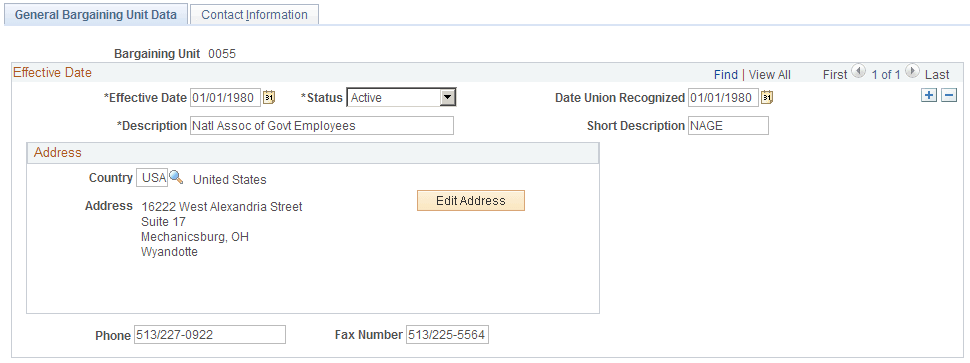
Use the General Bargaining Unit Data page (GVT_BARG_UNIT1) to enter bargaining unit details.
Navigation:
This example illustrates the General Bargaining Unit Data page.
| Field or Control | Description |
|---|---|
|
Date Union Recognized |
Enter the date the union was recognized by your organization. |
Contact Information Page
Use the Contact Information page (GVT_BARG_UNIT2) to enter union contact information.
Navigation:
This example illustrates the Contact Information page.
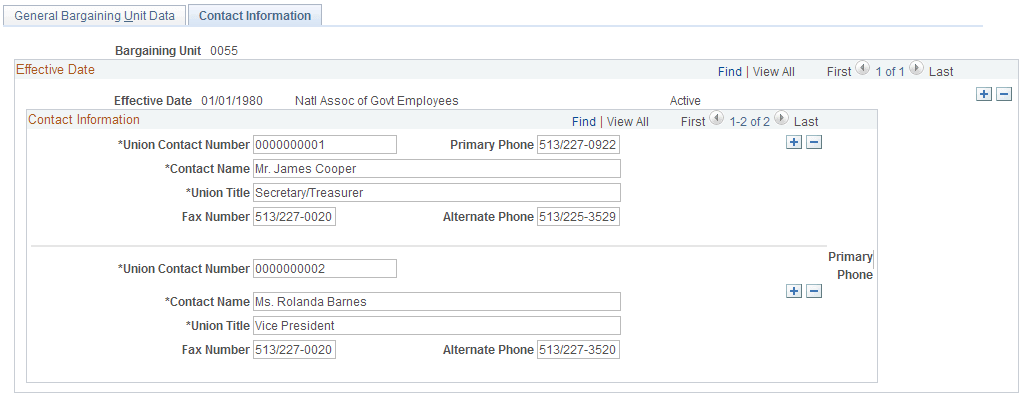
Enter the contact information for this bargaining unit.
(USF) Contract/Partnership Data Page
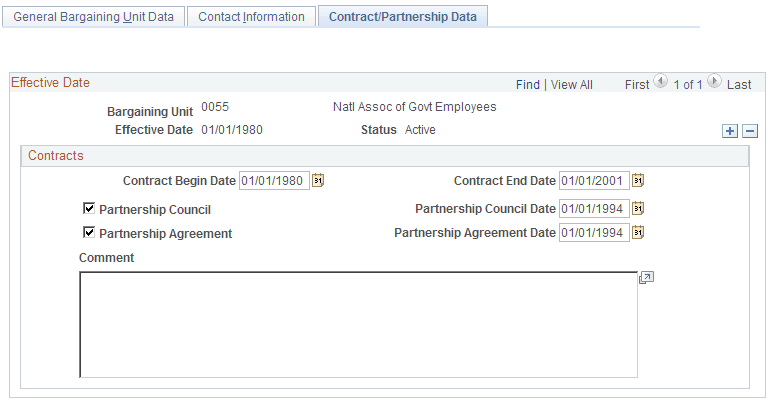
Use the Contract/Partnership Data page (GVT_BARG_UNIT3) to define contract and partnership information for a bargaining unit.
Navigation:
This example illustrates the Contract/Partnership Data page.
Contracts
| Field or Control | Description |
|---|---|
|
Contract Begin Date and Contract End Date |
Enter the begin and end date for this contract. |
|
Partnership Council and Partnership Council Date |
Select if there is a partnership council and enter the date of the partnership council. |
| Field or Control | Description |
|---|---|
|
Partnership Agreement and Partnership Agreement Date |
Select if there is a partnership agreement and enter the date of the partnership agreement. |