Tracking Disciplinary Actions
This topic discusses how to track disciplinary actions.
Pages Used to Track Disciplinary Actions
| Page Name | Definition Name | Usage |
|---|---|---|
|
DISCIPLINARY_ACTN |
Describe the incident that led to a disciplinary action against a worker. |
|
|
ACTION_TAKEN |
Document details of disciplinary actions taken against a worker. |
|
|
DISCIP_ACTN_RESLTN |
Record the final resolution of an incident that required disciplinary action. |
Disciplinary Action Page
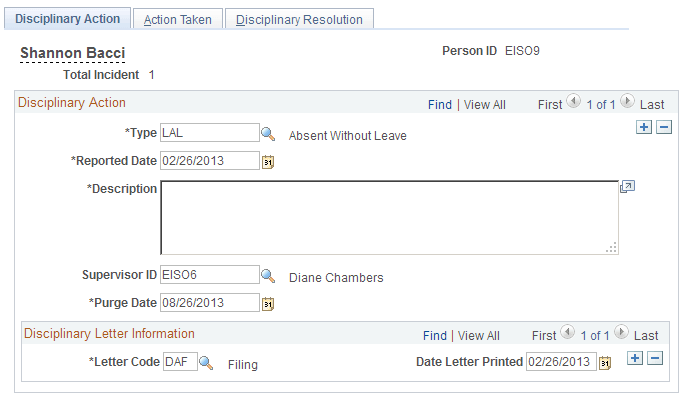
Use the Disciplinary Action page (DISCIPLINARY_ACTN) to describe the incident that led to a disciplinary action against a worker.
Navigation:
This example illustrates the Disciplinary Action page.
| Field or Control | Description |
|---|---|
|
Total Incident |
Each time you enter a new disciplinary offense for this worker, the system calculates and displays the total number of incidents. |
|
Type |
Select a disciplinary action type. |
|
Reported Date |
Select the date the disciplinary action is reported. |
|
Supervisor ID |
Select the worker's supervisor ID if the default supervisor ID selected from the worker's Work Location page isn't accurate. |
|
Purge Date |
The system automatically inserts a purge date of six months from the Reported Date. Note: This field is informational only and the system does not purge data automatically based upon this date. You may use this field to write an SQR to purge old disciplinary incidents, but the system will not do this automatically. |
|
Letter Code |
Select the type of letter you want to issue the worker. |
|
Date Letter Printed |
The system generates this date when you run the standard letter process. |
Action Taken Page
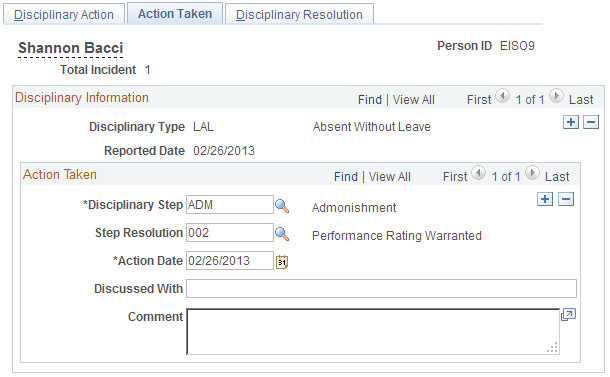
Use the Action Taken page (ACTION_TAKEN) to document details of disciplinary actions taken against a worker.
Navigation:
This example illustrates the Action Taken page.
Action Taken
Enter as many rows as necessary to resolve the disciplinary issue.
| Field or Control | Description |
|---|---|
|
Disciplinary Step |
Select a disciplinary step for the disciplinary type. |
|
Step Resolution and Action Date |
Select the resolution type that occurred for this step and the date when the disciplinary step took place. |
|
Discussed With |
Enter the name of the person with whom you discussed the step. |
Disciplinary Resolution Page
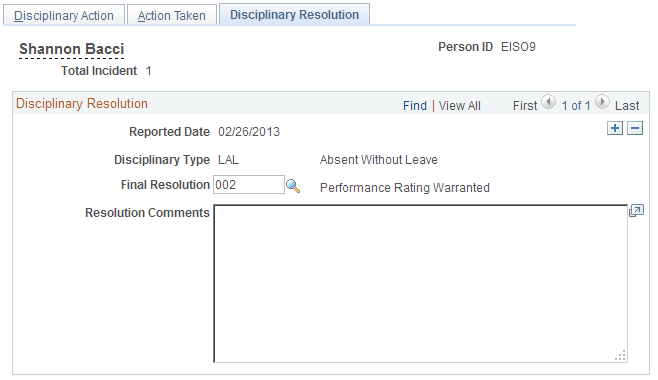
Use the Disciplinary Resolution page (DISCIP_ACTN_RESLTN) to record the final resolution of an incident that required disciplinary action.
Navigation:
This example illustrates the Disciplinary Resolution page.
| Field or Control | Description |
|---|---|
|
Final Resolution |
Select the resolution type that indicates how the incident was finally resolved. |