Setting Up and Entering Check Details
This section provides an overview of setting up and entering check details.
Pages Used to Set Up and Enter Check Details
| Page Name | Definition Name | Navigation | Usage |
|---|---|---|---|
|
PCMP_CHK_TYPE |
|
Define check types that a regulated individual needs to pass. |
|
|
PCMP_RI_CHK |
|
Enter check data. |
Understanding Check Detail Setup and Usage
Use the Manage Professional Compliance business process to monitor compliance with various kinds of checks that are required for professional certification. For example, certain groups of workers in your company may need to submit to financial background checks or security checks before they can be certified.
First, define the types of checks you want to perform; then, enter data on each individual as they pass or fail the required checks. Using an inquiry page, you can then review each individual's compliance status.
To set up and use checks:
-
Define the check types that you want to use on the Check Type page.
-
On the RI Check (regulated individual check) page, for each individual, enter whether they have passed the check and enter the check date.
-
Review the individual's check history on the RI Checks (regulated individual checks) page.
Related Topics
Check Type Page
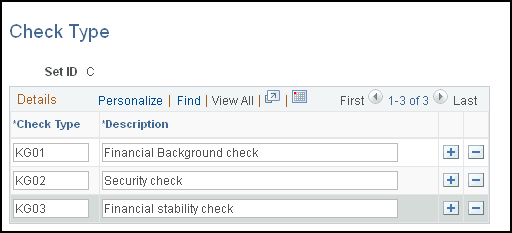
Use the Check Type page (PCMP_CHK_TYPE) to define check types that a regulated individual needs to pass.
Navigation:
This example illustrates the fields and controls on the Check Type page.
| Field or Control | Description |
|---|---|
|
Check Type |
Enter the types of check—for example, financial, stability, health, or security—that you want to perform . |
RI Checks Page
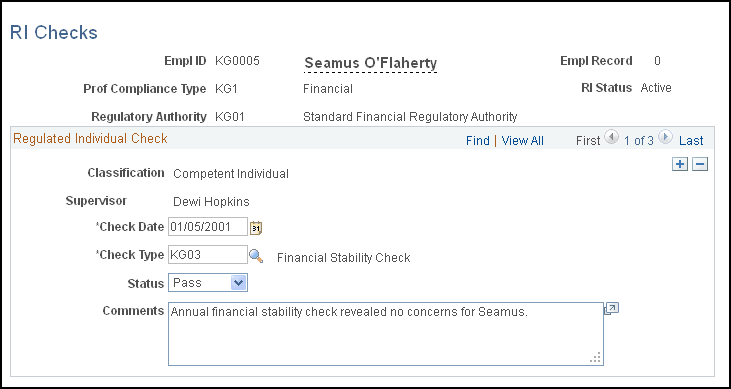
Use the RI Checks (regulated individual checks) page (PCMP_RI_CHK) to enter check data.
Navigation:
This example illustrates the fields and controls on the RI Checks page.
| Field or Control | Description |
|---|---|
|
Supervisor |
Displays the name of the regulated individual's supervisor. |
|
Check Date |
Enter the date on which you perform the check. |
|
Check Type |
Select one of the check types that you defined on the Check Type page. |
|
Status |
Select the status of the individual relative to the check that you are performing. |
|
Comments |
Enter comments about the check. |