Manage Career Plans Component
Use the Manage Career Plan component (HR_CP_MANAGER) to perform career planning activities for their direct reports. The manager can view direct mobility preferences, Career Path, Update employees potential rating, Short Term and Long-Term Goals, Strength, Development Area Details, Mentors details, Training Plan and Developmental Action Plans
Navigation:
This example illustrates the Manage Career Plans component.
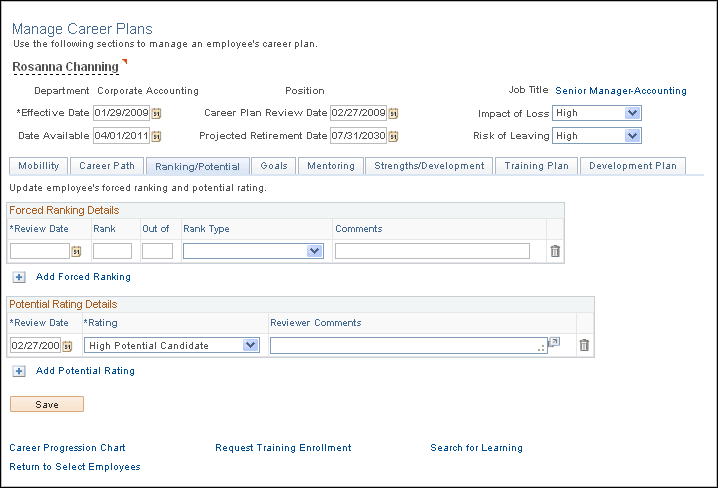
The integration of Career Planning and ePerformance provides managers easy access to employees’ performance data from career plans, as well as employees’ career planning data from performance documents. From the Manage Career Plans page, a manager can click a link at the bottom of the page to transfer to the current performance document of the employee. Similarly, a manager can click a link from the Career Plan Summary section of a performance document to open the Manage Career Plans page and update career plan data for an employee. For more information, refer PeopleSoft ePerformance: Understanding ePerformance and Career and Succession Planning Integration