Adjusting Contract Employee Prepay Balances
Pages Used to Adjust Contract Prepay Balances
| Page Name | Definition Name | Usage |
|---|---|---|
|
BALANCES_PREPAY1 |
(E&G) Review a contract employee's benefits deduction prepay balances if you use the Contract Prepay feature. Before using this page, you must set up the Contract Prepay Options page. |
|
|
BALANCES_PREPAY2 |
(E&G) Review a contract employee's benefits deduction prepay balance and balance history if you use the Contract Prepay feature. Before using this page, you must set up the Contract Prepay Options page. |
|
|
ADJ_PREPAY_BAL1 |
(E&G) Enter a reason for adjustments to an employee's benefits prepayment balance. |
|
|
ADJ_PREPAY_BAL2 |
(E&G) Adjust an employee's benefits prepayment balance. |
Understanding Contract Employee Prepay Balance Adjustments
The system creates a prepay balance record when the Pay Confirmation process is run, and it shows a benefits deduction prepayment. The Pay Confirmation process continues to update the prepay balance record with each run. When the prepay balance reaches zero, the system deletes the record.
You cannot make an adjustment to issue a refund for overpayment using the PrePays component (ADJ_PREPAY_BAL). Use paysheets to make a one-time deduction refund.
Note:
You must set up a PREPAY deduction code on the Company General Deductions Table to use PREPAY as a deduction code.
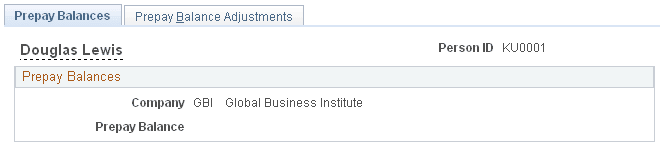
Prepay Balances Page
(E&G) Use the Prepay Balances page (BALANCES_PREPAY1) to review a contract employee's benefits deduction prepay balances if you use the Contract Prepay feature.
Before using this page, you must set up the Contract Prepay Options page.
Navigation:
This example illustrates the fields and controls on the Prepay Balances page.
| Field or Control | Description |
|---|---|
|
Company |
The company that issued the contract. |
|
PrePay Balance |
The employee's benefits deduction prepay balance (how much the employee has overpaid in anticipation of benefits coverage that extends past the pay period). |
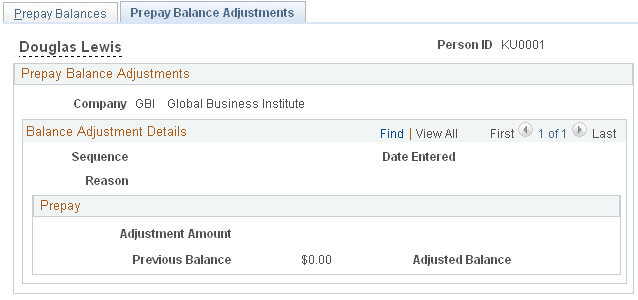
Prepay Balance Adjustments Page
(E&G) Use the Prepay Balance Adjustments page (BALANCES_PREPAY2) to review a contract employee's benefits deduction prepay balance and balance history if you use the Contract Prepay feature.
Before using this page, you must set up the Contract Prepay Options page.
Navigation:
This example illustrates the fields and controls on the Prepay Balance Adjustments page.
| Field or Control | Description |
|---|---|
|
Sequence Number |
The sequence number of the adjustment reason. If more than one adjustment occurs in a day, the number in this field indicates which adjustment took place first. |
Prepay Balance Adjustment
| Field or Control | Description |
|---|---|
|
Adjustment |
The amount of the prepay balance adjustment. For example, if you increase prepayments by 20 USD per month for the remaining six months of the contract term, this field displays 120.00 USD (20 USD * 6 months = 120 USD). |
|
PrePay Balance, Before and After |
Displays the prepay balance before and after the adjustment. |
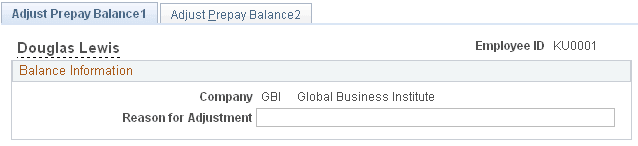
Adjust Prepay Balance1 Page
(E&G) Use the Adjust Prepay Balance1 page (ADJ_PREPAY_BAL1) to enter a reason for adjustments to an employee's benefits prepayment balance.
Navigation:
This example illustrates the fields and controls on the Adjust Prepay Balance 1 page.
| Field or Control | Description |
|---|---|
|
Adjustment Reason |
Enter the reason for the adjustment to the benefits deduction prepayments. |
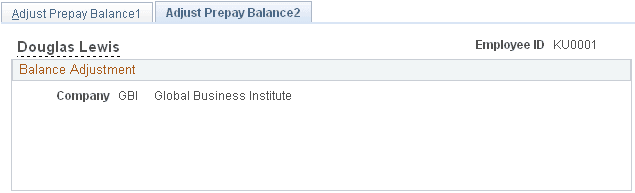
Adjust Prepay Balance2 Page
(E&G) Use the Adjust Prepay Balance2 page (ADJ_PREPAY_BAL2) to adjust an employee's benefits prepayment balance.
Navigation:
This example illustrates the fields and controls on the Adjust Prepay Balance2 page.
| Field or Control | Description |
|---|---|
|
PrePay |
Enter the amount of the prepay adjustment in either positive or negative amounts. |
|
Balance |
Displays the balance of the prepaid deduction amount after taking into consideration the prepay adjustment amount. |