Calculating Deductions
To calculate deductions, use the Calculate Deductions (RUNCTL_DED_CALC) component.
Pages Used to Calculate Deductions
| Page Name | Definition Name | Usage |
|---|---|---|
|
RUNCTL_DED_CALC |
Select the deduction calculation options and run the Calculate Deductions COBOL SQL process (PSPDCRUN) to calculate deductions. |
Calculate Deductions Page
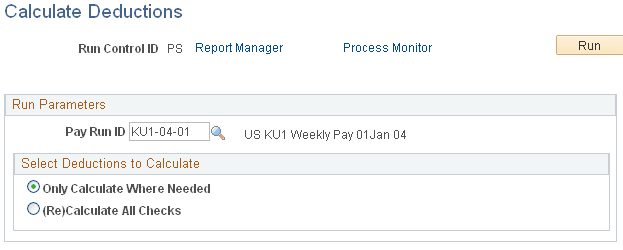
Use the Calculate Deductions page (RUNCTL_DED_CALC) to select the deduction calculation options and run the Calculate Deductions COBOL SQL process (PSPDCRUN) to calculate deductions.
Navigation:
This example illustrates the fields and controls on the Calculate Deductions page.
| Field or Control | Description |
|---|---|
|
Pay Run ID |
Select a pay run ID. The pay run ID identifies the pay groups to be processed. |
|
Select Deductions to Calculate |
Select:
|