Setting Up a Transaction
Follow these steps to set up a deduction transaction using the LOGEXP export file.
Step 1: Set Up the PS Tables Component
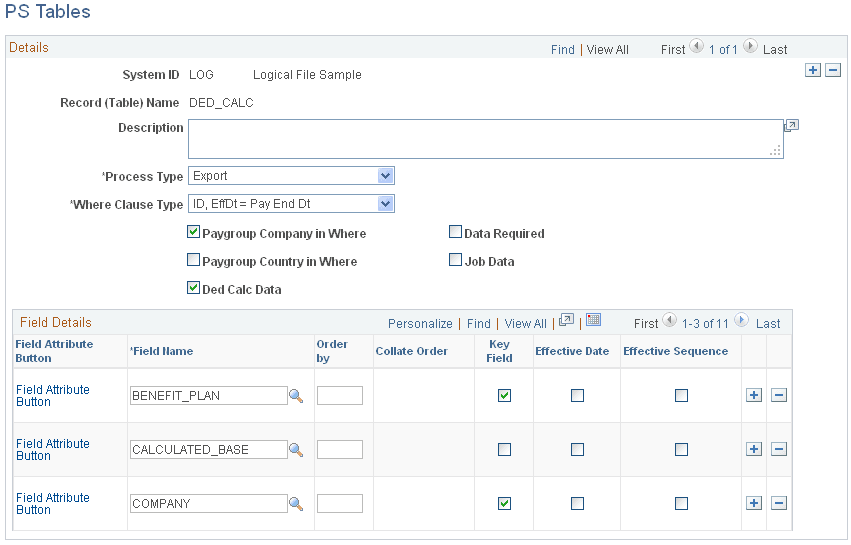
Identify the PeopleSoft tables and fields that store the data that is required for the transaction:
-
Table: DED_CALC.
-
Fields: DEDCD (deduction code), DED_CLASS (deduction class), and DED_CUR (deduction amount).
Use the PS Table (PI_PSREC_PNL) page to set up the PeopleSoft table and fields:
Navigation:
This example illustrates the fields and controls on the PS Tables page for Step 1: Set Up the PS Tables Component.
Step 2a: Set Up the Field Definition Table Component, Export File Fields
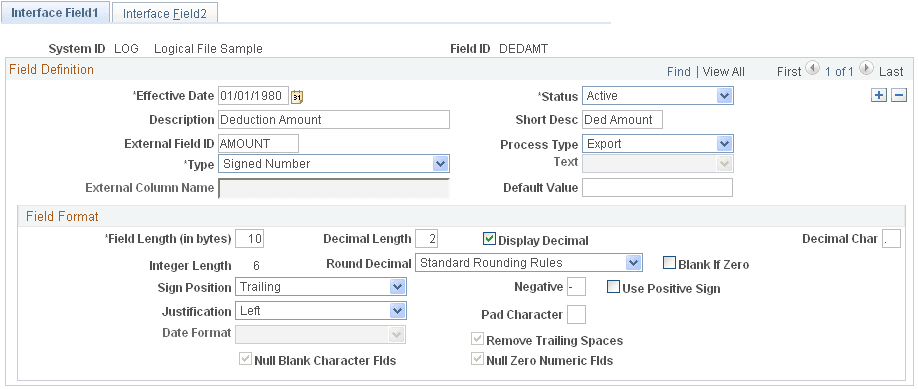
Define the fields for the deduction transaction: DEDAMT (shown in the following example) and DEDCD (not shown).
The default value for DEDAMT is the calculated deduction amount. The default value for DEDCD is the deduction code.
Note:
The DED_CLASS field, identified in the PS Tables component, is not included in the export file. However, an instance ID for this field is set up in step 3.
Use the Interface Field1 page to set up the field definition for the DEDAMT field.
Navigation:
This example illustrates the fields and controls on the Interface Field1 page for Step 2a: Set Up the Field Definition Table Component, Export File Fields.
Step 2b: Set Up the Field Definition Table Component, PeopleSoft Table and Fields
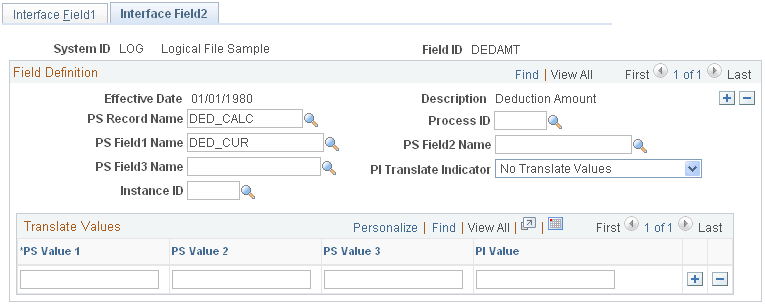
Identify the corresponding PeopleSoft table and field for the DEDAMT field:
-
Table: DED_CALC
-
Field: DED_CUR
Note:
You must set up the DED_CALC table and DED_CUR field in the PS Tables component before you can access them through the Field Definition component.
Use the Field Definition Table - Interface Field2 page to identify the PeopleSoft record (table) and fields:
Navigation:
This example illustrates the fields and controls on the Interface Field2 page for Step 2b: Set Up the Field Definition Table Component, PeopleSoft Table and Fields.
Step 3: (Optional) Set Up the Instance Table Component
Instance IDs enable you to restrict or modify the data that is sent to the third-party payroll system.
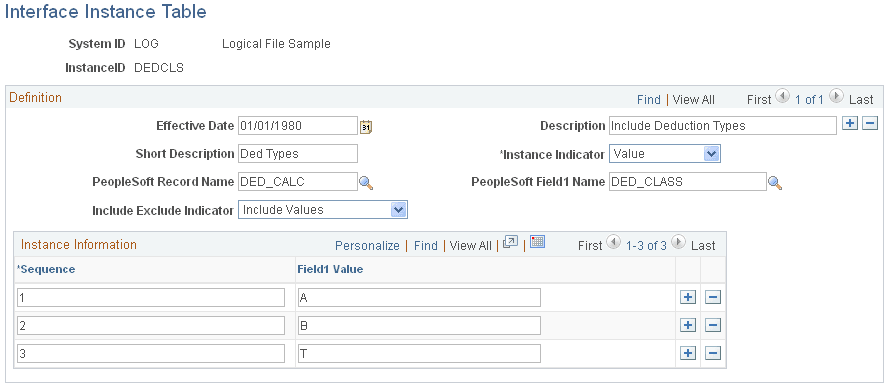
Deduction class values are A (after tax), B (before tax), N (non-taxable or employer paid), and T (taxable or imputed income). The Calculate Deductions process calculates deductions for all classes (A, B, N, T). In this example, the third-party payroll system wants to receive deductions only for class values A and B. Therefore, set up an instance ID DEDCLS for the DED_CLASS field to export calculated deductions for class values A and B. (Alternatively, you can set up the instanced ID to exclude class values N and T.)
Note:
When setting up an instance ID, you can either include the values that you want to export or exclude values that you don't want to export. You may need to experiment to determine which set up works best. Alternatively, you can create a view to retrieve a restricted data set.
Use the Interface Instance Table page to set up instance IDs.
Navigation:
This example illustrates the fields and controls on the Interface Instance Table page for Step 3: (Optional) Set Up the Instance Table Component.
Step 4a: Set Up the Definition Table Component, File
Define the file, record, and field sequences for the export file.
Note:
If you change any of the records or fields for a transaction, be sure to make the same changes to the records or fields for the corresponding stop transaction.
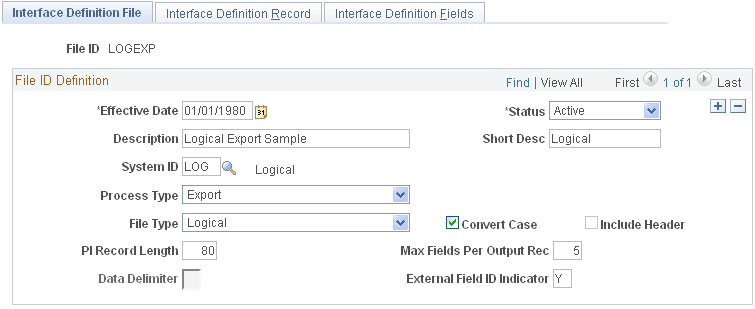
Use the Interface Definition File page to access the LOGEXP export file.
Navigation:
This example illustrates the fields and controls on the Interface Definition File page for Step 4a: Set Up the Definition Table Component, File.
Step 4b: Set Up the Definition Table Component, Record
The LOGEXP export file includes nine record sequences. Record 40 is the deduction transaction. Record 50 is the deduction stop transactions.
| Record Sequence | Record ID | Description |
|---|---|---|
|
10 |
PERS |
Personal Data |
|
20 |
EMPL |
Employment Data |
|
30 |
JOB |
Job Data |
|
40 |
DED |
Deductions |
|
50 |
SDED |
Stop Deductions |
|
60 |
SAVE |
Savings |
|
70 |
SSAV |
Stop Savings |
|
80 |
APAY |
Additional Pay |
|
90 |
SPAY |
Stop Additional Pay |
Record 40, the deduction transaction (DED), includes:
-
Record type: Data
-
Instance ID: DEDCLS—the instance ID created in step 3.
-
Process ID: 000001 ON1 Change—a process required for the deduction transaction.
Use the Interface Definition Record page to set up the record sequences for the export file.
Navigation:
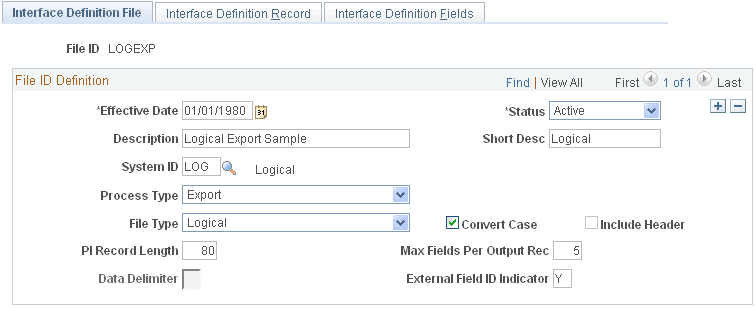
This example illustrates the fields and controls on the Interface Definition Record page for Step 4b: Set Up the Definition Table Component, Record.
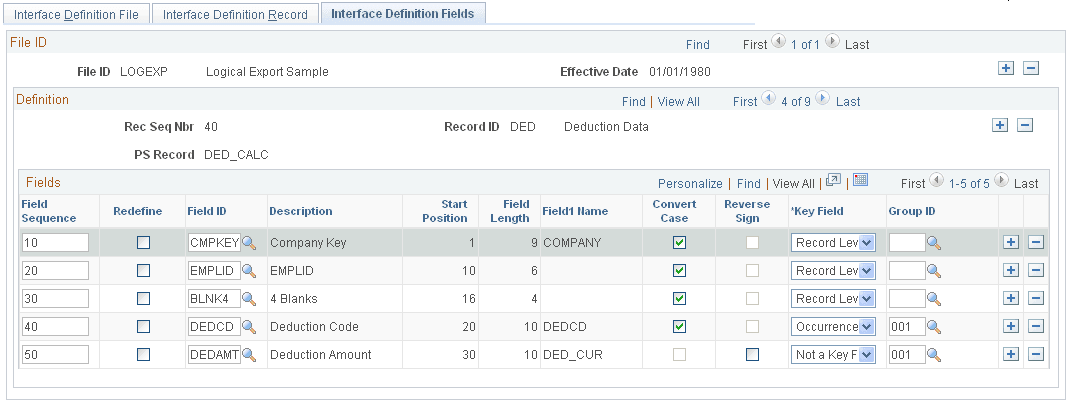
Step 4c: Set Up the Definition Table Component, Fields
Record 40, the deduction transaction, includes five field sequences:
-
Field Seq#: 10–50.
-
Field Seq 40 and 50 are a grouped field (Group ID 001).
-
Field Seq 50 is DEDAMT, the actual deduction amount.
Note:
The field sequences (10–50) for transaction record 40 must be identical to the field sequences for stop transaction record 50. The value of field sequence 50 changes from DEDAMT to ZAMT.
Use the Interface Definition Fields page to set up the field sequences for the record:
Navigation:
This example illustrates the fields and controls on the Interface Definition Fields page for Step 4c: Set Up the Definition Table Component, Fields.