Setting Up a Stop Transaction
Follow these steps to set up a stop transaction for deductions using the LOGEXP export file.
Step 1: Set Up the Field Definition Table Component, Export File Fields
For Payroll Interface to recognize a stop transaction, the delivered record-level process IDs must be used. PeopleSoft code moves the pay period end date (of the pay calendar entry being used with the run control) to the DATE_VAL field in the PI_PARTIC_EXTBL table when a stop process is identified. Along with the date, you'll see the corresponding field ID and CHAR_VAL (for example, for a deduction code).
See Export Processing.
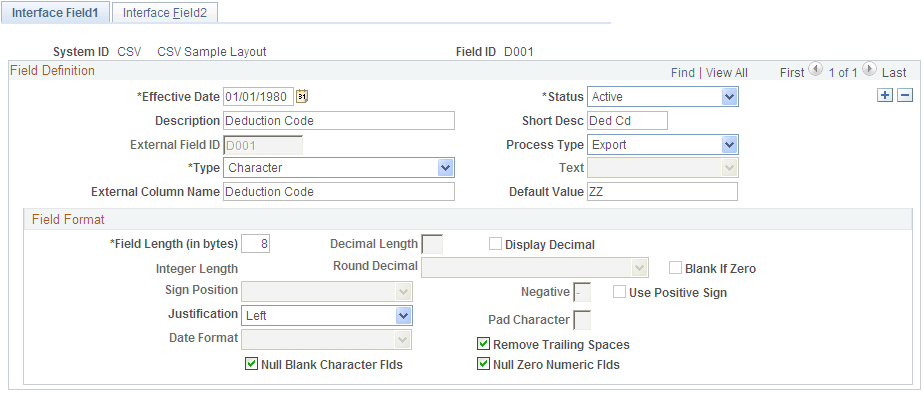
Define the field for the deduction stop transaction: ZAMT. When the stop transaction is processed, the ZAMT default value, rather than the DEDAMT default value, is written to the export file.
The default value is determined by the requirements of the third-party payroll system (refer to the vendor documentation). For LOG systems, the default value may be 000.00 or zero. For CSV systems, the default value may be probably ~, the tilde character.
Use the Interface Field1 page to set up a field definition for the ZAMT field:
Navigation:
This example illustrates the fields and controls on the Interface Field1 page for Step 1: Set Up the Field Definition Table Component, Export File Fields.
Note:
Because the ZAMT field does not correspond to a PeopleSoft table or field, the Interface Field2 page does not need to be set up.
Step 2: Review the Process Table
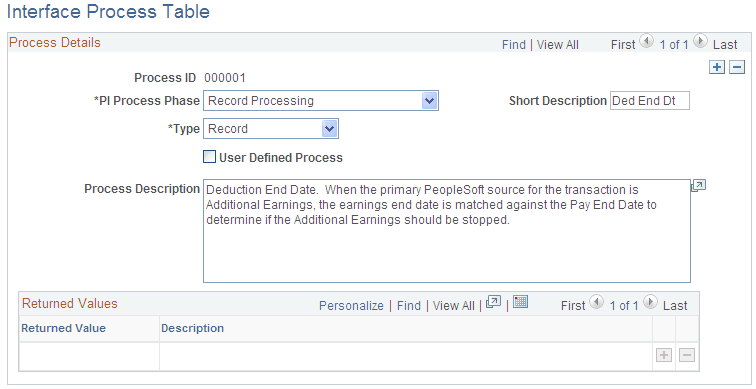
Identify the COBOL process that will perform the stop transaction. This can be one of the processes delivered with Payroll Interface or a user-defined process. In this example, use Payroll Interface Process ID 000026.
See Working with COBOL Processes.
After the process is attached to the stop transaction record (see step 3), it runs in the background during the Export process. If the process determines that a deduction code is missing, the ZAMT default value (rather than the DEDAMT default value ) is written to the export file and a flag on the PI_PARTIC_EXPT table is set to P.
See Export Processing.
Use the Interface Process Table page to view the processes that are delivered with Payroll Interface.
Navigation:
This example illustrates the fields and controls on the Interface Process Table page for Step 2: Review the Process Table.
Step 3a: Set Up the Definition Table Component, File
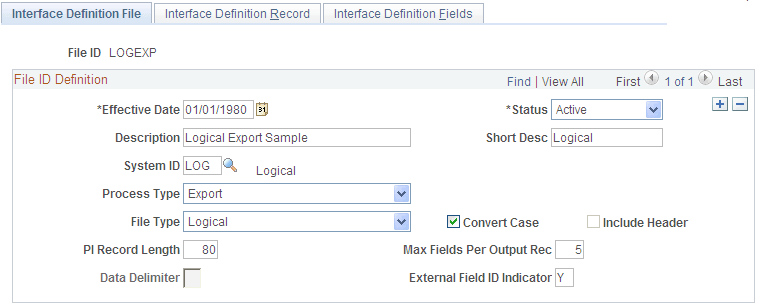
Define the file, record, and field sequences for the export file.
Use the Interface Definition File page to access the LOGEXP export file.
Navigation:
This example illustrates the fields and controls on the Interface Definition File page for Step 3a: Set Up the Definition Table Component, File.
Step 3b: Set Up the Definition Table Component, Record
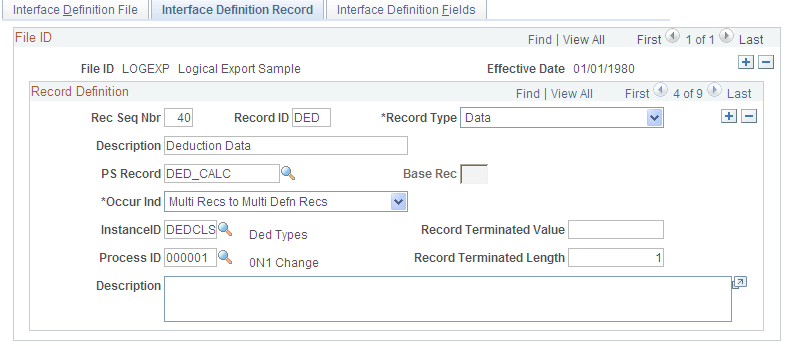
Record 50, the deduction stop transaction (SDED), includes:
-
Record Type: Process
-
Base Rec: 40—the corresponding record for the deduction transaction.
-
Process ID: 000026—the process that stops the deduction.
Note:
The Base Rec field joins the transaction to the stop transaction: record 40 is joined to record 50.
Use the Interface Definition Record page to set up the record sequences for the export file.
Navigation:
This example illustrates the fields and controls on the Interface Definition Record page for Step 3b: Set Up the Definition Table Component, Record.
Step 3c: Set Up the Definition Table Component, Fields
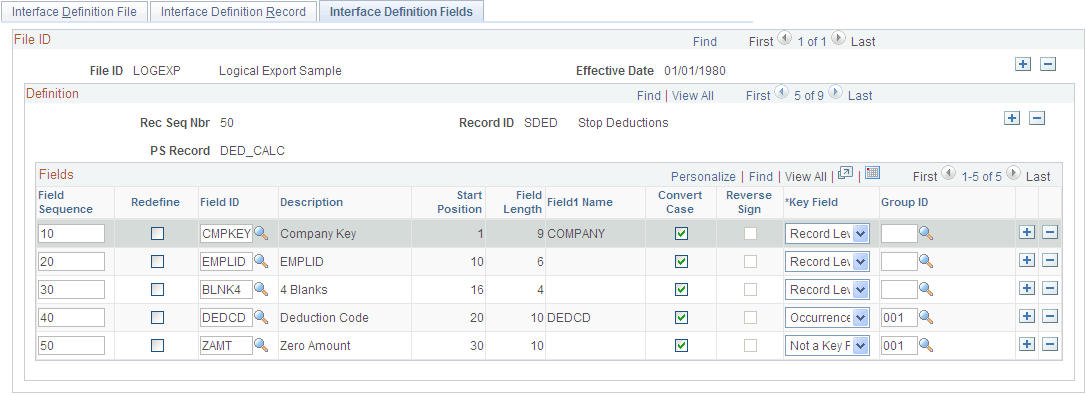
Record 50, the deduction stop transaction, includes five field sequences:
-
Field Seq#: 10–50.
-
Field Seq 40 and 50 are a grouped field (Group ID 001).
-
Field Seq 50 is now ZAMT, the zero amount that is sent when the deduction is stopped.
Note:
The field sequences (10–50) for stop transaction record 50 must be identical to the field sequences for transaction record 40. The value of field sequence 50 changes from DEDAMT to ZAMT.
Use the Interface Definition Fields page to set up the field sequences for the record:
Navigation:
This example illustrates the fields and controls on the Interface Definition Fields page for Step 3c: Set Up the Definition Table Component, Fields.