Break Wait Rules Page

Use the Break Wait Rules page (PA_BREAK_PNL2) to set up a waiting period for service restoration.

Navigation:

Set Up HCM, and then Product Related, and then Pension, and then Components, and then Service-Break Rules, and then Break Wait Rules

This example illustrates the fields and controls on the Break Wait Rules page.
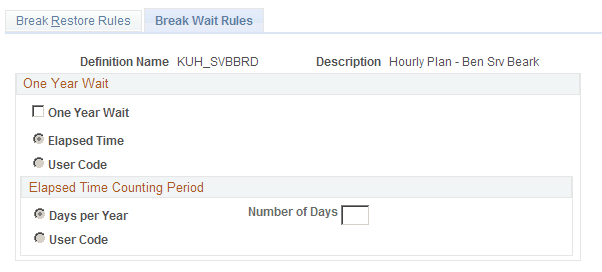
Break Wait Rules page
Field or Control Description

One Year Wait

Select this option if you require that employees returning from a break wait a year before you restore service. Then select one of the following methods of determining the one-year wait period:

  • Elapsed Time: In the Elapsed Time Counting Period group box, select either Days per Year and enter the Number of Days, or select User Code and use one of the user code options to measure the wait.

  • User Code:

    Select this option to use custom code to determine elapsed time.

    Note: To measure a waiting period other than a year, select One year wait code (y/n). Then enter the length of the waiting period in Days per Year, or use a user code option.

Related Topics